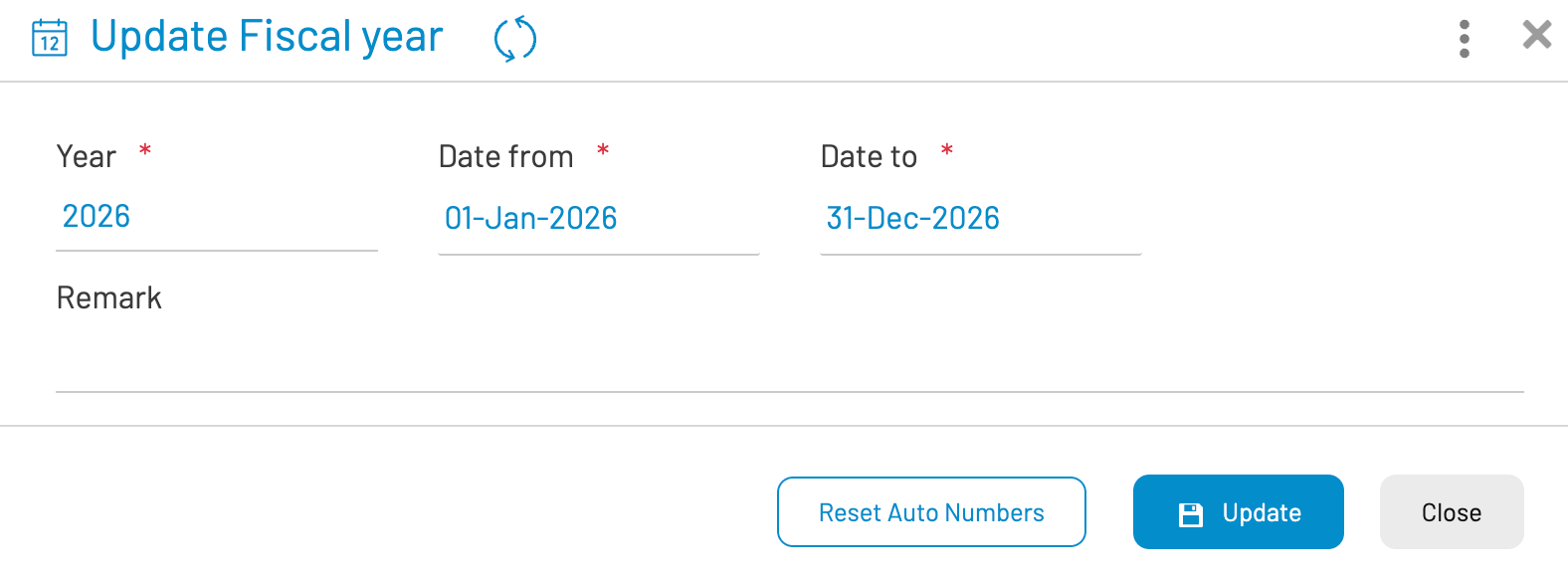
The Fiscal Year configuration provides organizations with the flexibility to define the start and end dates of their financial calendar. While many organizations follow a standard calendar year (January 1 to December 31), others may operate on a different cycle, such as April 1 to March 31.
In AKAS, the Fiscal Year setup is a foundational step that influences several core modules:
- Annual Leave Process: Determines the cycle for leave accruals and resets.
- Payroll Records: Segregates payroll data and tax reporting by year.
- Finance: Organizes invoices and receipts for auditing and reporting.
¶ Navigation
To access the Fiscal Year setup, navigate to: Setup menu > Fiscal Years


¶ Managing Fiscal Years
The Fiscal Year management screen follows the standard Hyperman interface, allowing you to perform the following actions:
Add New: Click the Create or + button to define a new calendar period.
Edit: Select an existing record to modify the start or end dates (note: certain restrictions may apply if the year is already "Locked" or contains active transactions).
Delete: Remove a fiscal year that was created in error. Records with linked transactions cannot be deleted.
¶ Creating a Fiscal Year
When defining a new period, ensure the following fields are accurately captured:
- Code/Name: Enter a unique identifier for the year (e.g., "2025").
- Start Date: Select the first day of the financial cycle.
- End Date: Select the final day of the financial cycle.
- Status: Set the year as "Active" to allow transactions.
Once the form is completed, click the Save button to apply the changes to the system.
¶ New Year Processing
There are several things system administrator needs to do in each new beginning of the year. Here is the list of tasks:
- Create new fiscal year
- Reset Auto Numbers: Modify the Next Number to 1 for year format related entities (any entity which format contains yy)
- Setup public holiday for the new year.
- Reset Annual Leaves
- Create (or generate) new pay periods : this can also be created month by month
To “Reset Auto Numbers” for the new year, open created fiscal year, then click “Reset Auto Numbers”. This button will be invisible once the process is done.