This page lets you maintain your organisation structure and update company details. The Logo image is available only for the top-level Company org unit.
Navigation: on the left side bar → Setup → Org Charts.
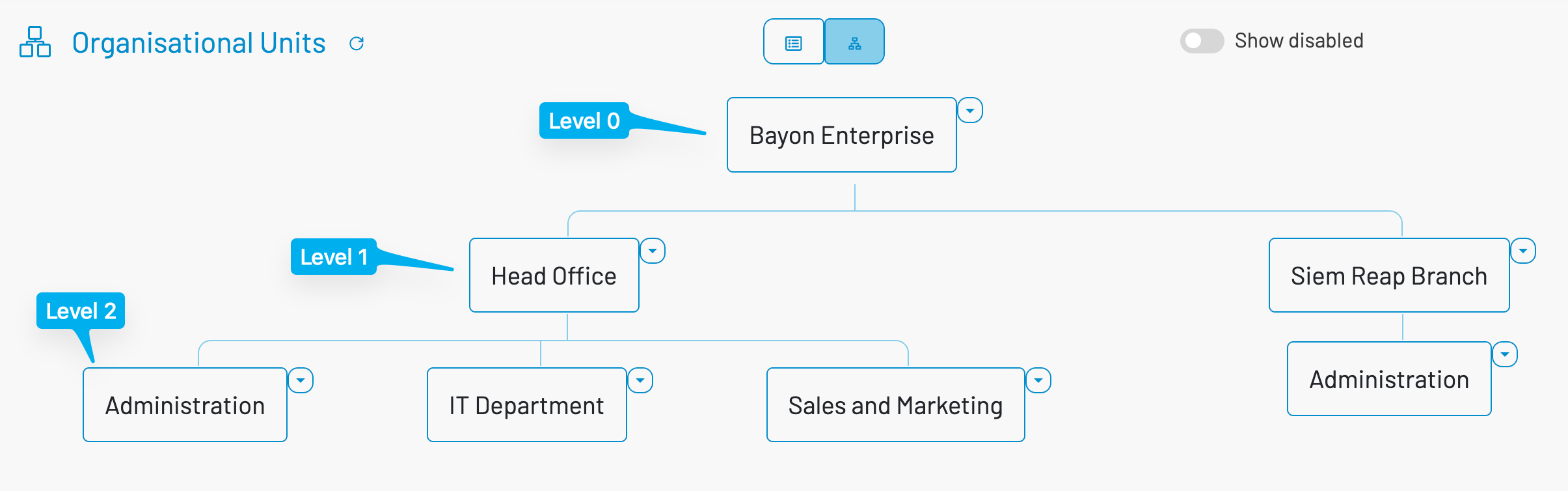
There are 2 views - structural tree and list view.
The tree hierachy shall be: company (level 0), division or brach (level 1), department (level 2), section or unt (level 3 or more). There is no limit of the tree level practically.
- 0. Company Level: This is the top level of the organization
- 1. Division or Branch Level: Geographical location or offices
- 2. Department Level: Departments that are residing in each branch
- 3. Section Level: Section level beneath the department
¶ Create or update an org unit
- The company is created by default. In the subscription mode, it was created when you create the business space and mark-readonly here. To edit an existing unit, double click on the unit.
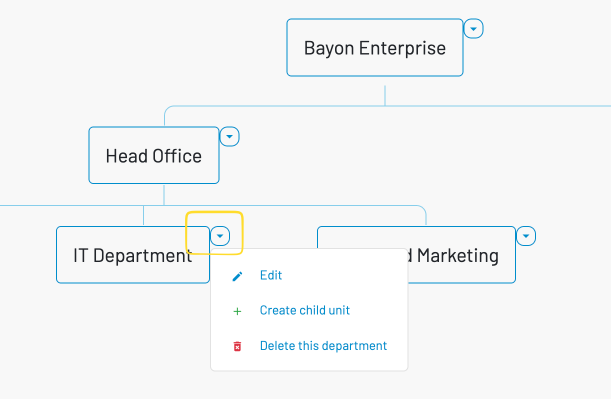
- Click on the down arrow icon next to the box (see image)
- Create child unit: to create a child unit.
- Delete this unit (name flexi by level): to delete the current selected unit and its all children. The system will validate if the unit and its children has employees attaching to. Note that it can be simpler to disable the unit.
¶ Edit the Company details
- Select the Company node and click Edit (or double click to edit).
- Fill in fields as needed:
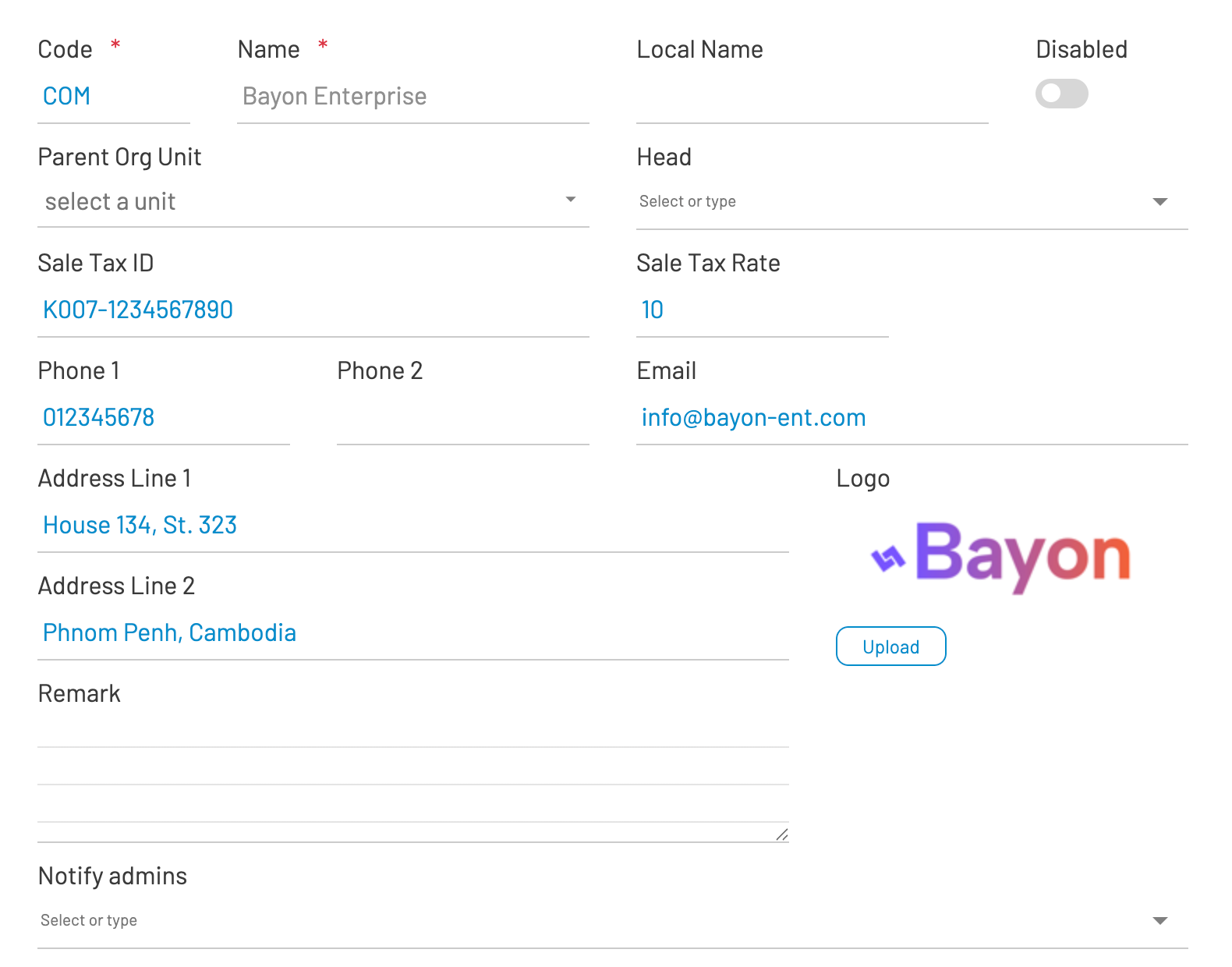
- Code: Required. Automatically uppercased. The code of unit.
- Name and Local Name: Required/optional names. Local name is the name of the unit in your local language.
- Disabled: Switch On to deactivate the unit. Unit will be no longer visible to the new transaction and just kept for archive purpose
- Parent Org Unit: Select the parent unit (not applicable for Company). i.e. IT Department is the parent of Networking and Software Dev unit.
- Head: Pick the employee who leads this unit.
- VATIN and VAT Rate: Shown only for Company level.
- Phone 1/Phone 2, Email.
- Address Line 1/2, Remark.
- Notify admins: Choose employees to receive notifications in several processes.
¶ Upload or change the Logo
- Ensure you are editing the top-level Company record. If you just created it, click Save first.
- On the right side of the form, find the Logo preview and click Upload.
- Choose an image file (image/* such as PNG or JPG). The system uploads it immediately.
- After upload completes, the page refreshes and the new logo appears. If you don’t see it, refresh the browser.
Notes
- The Logo control appears only when editing the Company level.
- If the Upload button isn’t visible, save the record first and make sure you selected the Company node.
- If the logo still looks unchanged, clear the browser cache and refresh.