Currency setup is normally defined at the initial installation time by Installer team. This is not required to be changed during the course of operation. However, whether there is a requirement to introduce a new currency, this can be added or modified as required.
Currency is being used mainly in the Human Resource payroll module and Accounting module. At least a currency is needed to be setup and mark as “Base Currency” and the rest of currency will be treated as “Foreign Curency” which exchange rates are required for them. The value of exchange rate of the foreign currency is compared to base currency. Exchange rate will need to be updated regularly according to the tax department defined value to ensure payroll and other calculation is correctly performed by the system.
For example if you use US Dollar (USD) as base currency in AKAS and you have another currency i.e. Khmer Riel (KHR) then you need to setup exchange rates for KHR and set 1 USD = 4000 KHR.
Currency can be managed through Setup menu > Currencies
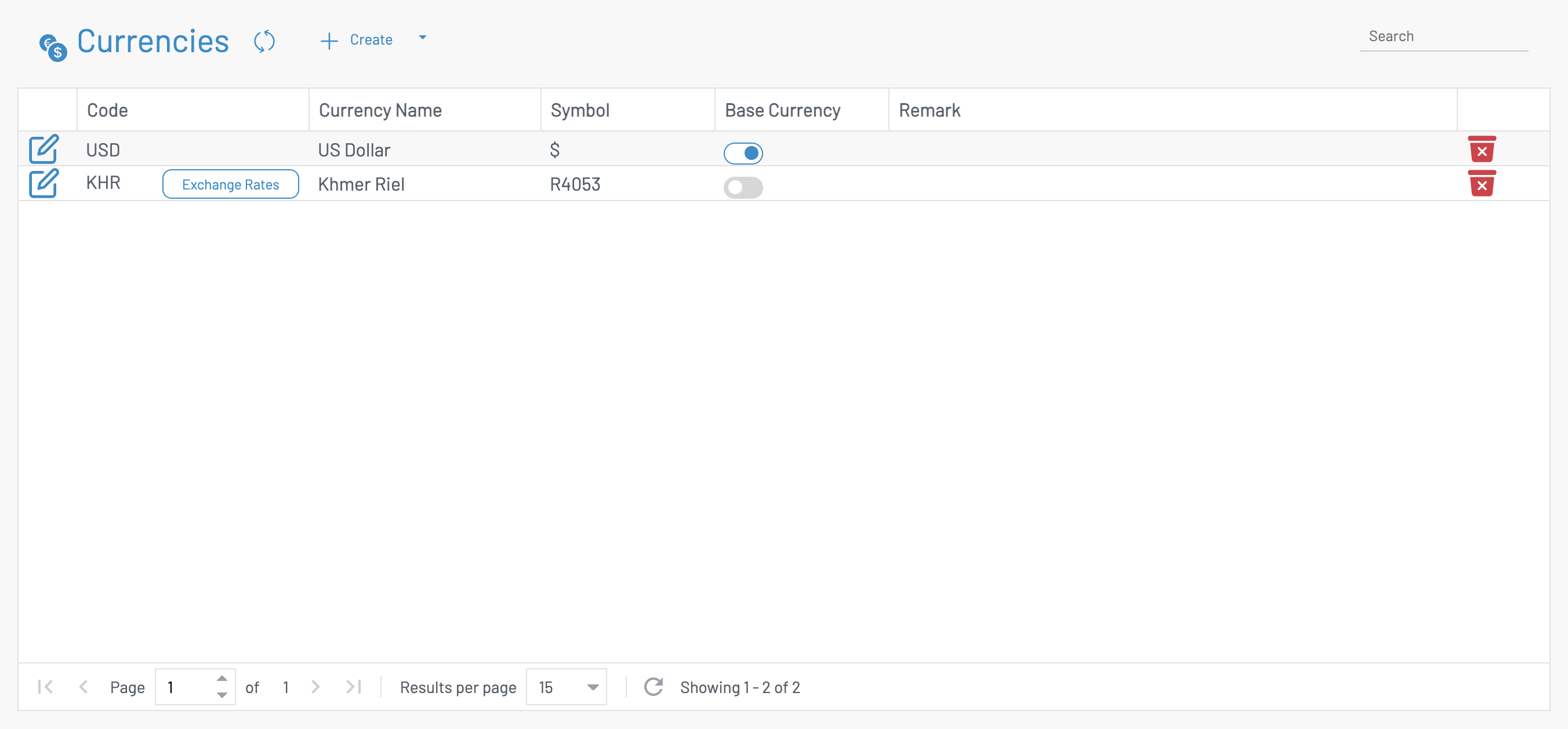
To create New Currency, click on “Create” button and it will bring up the New Currency form. Fill in the form > Click Save
| Field Name |
Type of Data |
Description |
| Currency ID |
Text (3) |
Currency code |
| Currency Name |
Text (50) |
Name of the currency |
| Symbol |
Text (10) |
Symbol used for that currency. E.g. $ for USD, R for Khmer Riel, etc. |
| Active? |
Boolean |
Is currency active? YES/NO |
| Exchange Rate |
|
|
| Start Date |
Date time |
Effective date and time of exchange rate |
| Exchange Rate |
Number |
Exchange rate of currency. E.g. 4000 Riel vs. 1 USD |
Note: When base currency flag is checked, there is no need to define the exchange rate for the period. However, when the currency is not a base currency, exchange rate will need to be defined as in below screen. Exchange rate will need to be defined regularly by Finance and Accounting department or by System Administrator for non-based currency. Effective date can be defined by Date and Time as shown in the figure above.