Auto number is where Administrator can setup the serial incremental number with different data format and number for some entities in Hyperman i.e. Invoice number. This is normally setup at the first time AKAS is installed but there are some cases that Administrator can reset it at the end of each year to refresh the number.
Navigation: To setup auto numbers, go to left side bar → Setup → Auto Numbers.
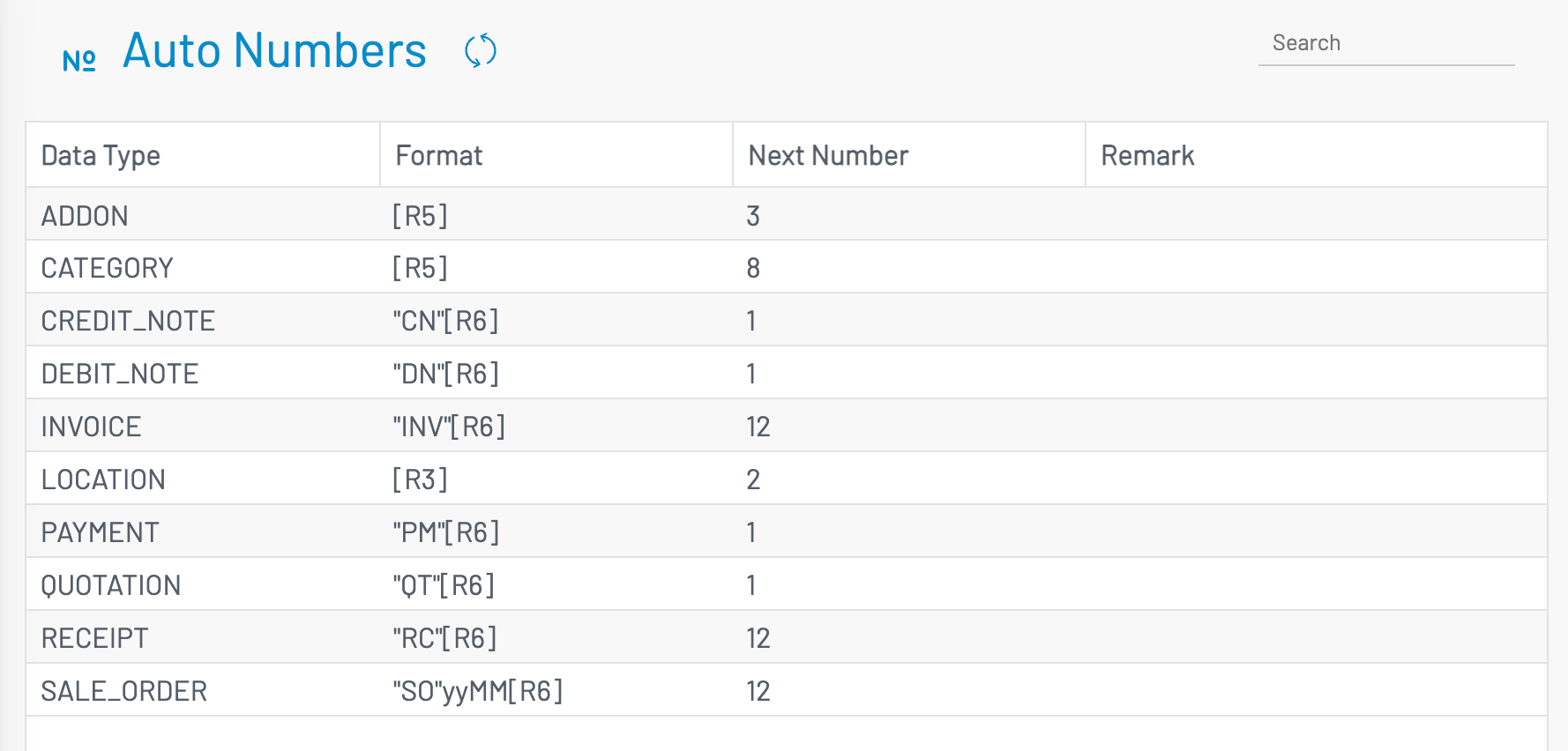
| Column Name | Type of Data | Description |
| Data Type | Text | The entity code. This is fixed by Programmer |
| Remark | Text | Descriptive remark of the entity |
| Format | Text |
The format for the number. i.e. "INV"yy[R5]. - Any characters in the “double quote”, will be printed out as it is - yy or yyyy stands for the current year. i.e. yy will be 25 (current year is 2025) - MM stands for current month. i.e. MM will 07 (current month is July) - [Rn] is n character length running number (written in square bracket [])
|
| Next Number | Number |
Next number to be issued. At the end of the year, administrator will reset this to 1 from the new fiscal year setup → Reset Auto Number
|
To edit an autonumber format or next number, just click on the cell and type the new value.