
Areas
Areas define the geographical hierarchy used across AKAS modules — typically country → province → district → commune/sangkat → village (and deeper levels as needed). Each area has an English name, a local-language name, and an optional postal code. Areas are used for addresses in Customers, Personnel, and other modules that capture location.
Navigation: left sidebar → Setup → Areas (/setup/areas).
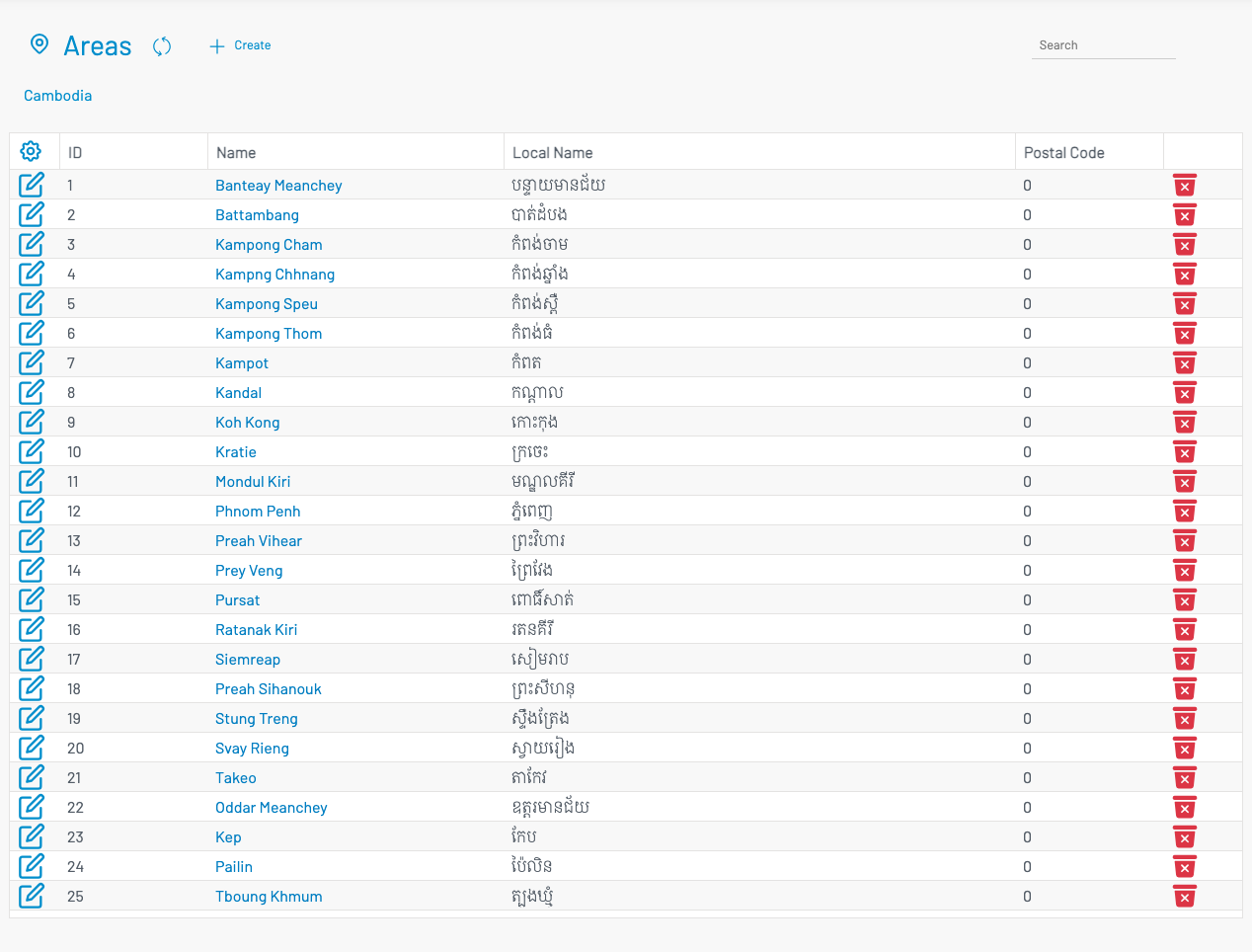
Overview
Section titled “ Overview”The Areas screen shows child areas of the current parent. A breadcrumb above the table (starting with Cambodia) shows where you are in the hierarchy. Click an area Name to drill into its children; click a breadcrumb segment to move back up.
List columns
Section titled “ List columns”| Column | Description |
|---|---|
| ID | Numeric identifier of the area. Assigned automatically when creating a new record. |
| Name | English display name. Click the name to open the next level of child areas. |
| Local Name | Name in the local language (for example, Khmer). |
| Postal Code | Optional postal / zip code for the area. |
Use Search to filter the current level. Edit or delete an area with the pencil and trash actions on each row.
Create an area
Section titled “ Create an area”Navigate to the parent level where the new area should belong (for example, stay on Cambodia to add a province, or open a province to add a district). Click + Create.
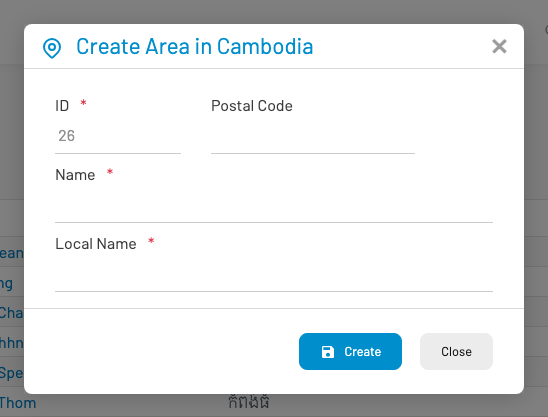
The dialog title reflects the parent path (for example, Create Area in Cambodia).
ID (required, read-only): Auto-assigned next identifier.
Postal Code: Optional numeric postal code.
Name (required): English name of the area.
Local Name (required): Local-language name of the area.
Click Create to save, or Close to cancel. The new area is created as a child of the current parent in the breadcrumb.
Navigating the hierarchy
Section titled “ Navigating the hierarchy”Drill down: Click an area name in the table to list its children.
Go up: Click a name in the breadcrumb trail to return to that parent level.
New areas are always created under the level you are currently viewing.
Permissions
Section titled “ Permissions”Access requires the Areas list permission (sysarea.list). The Areas menu is shown when the relevant modules (for example, Personnel) are enabled for your tenant.