
Pay Queues
Pay queues hold variable amounts (additions, deductions, allowances) that are not fully driven by fixed salary — for example additional pay, child school, room, or one-off deductions.
Navigation: left sidebar → HR → Payroll → Pay Queues (/payroll/queues).
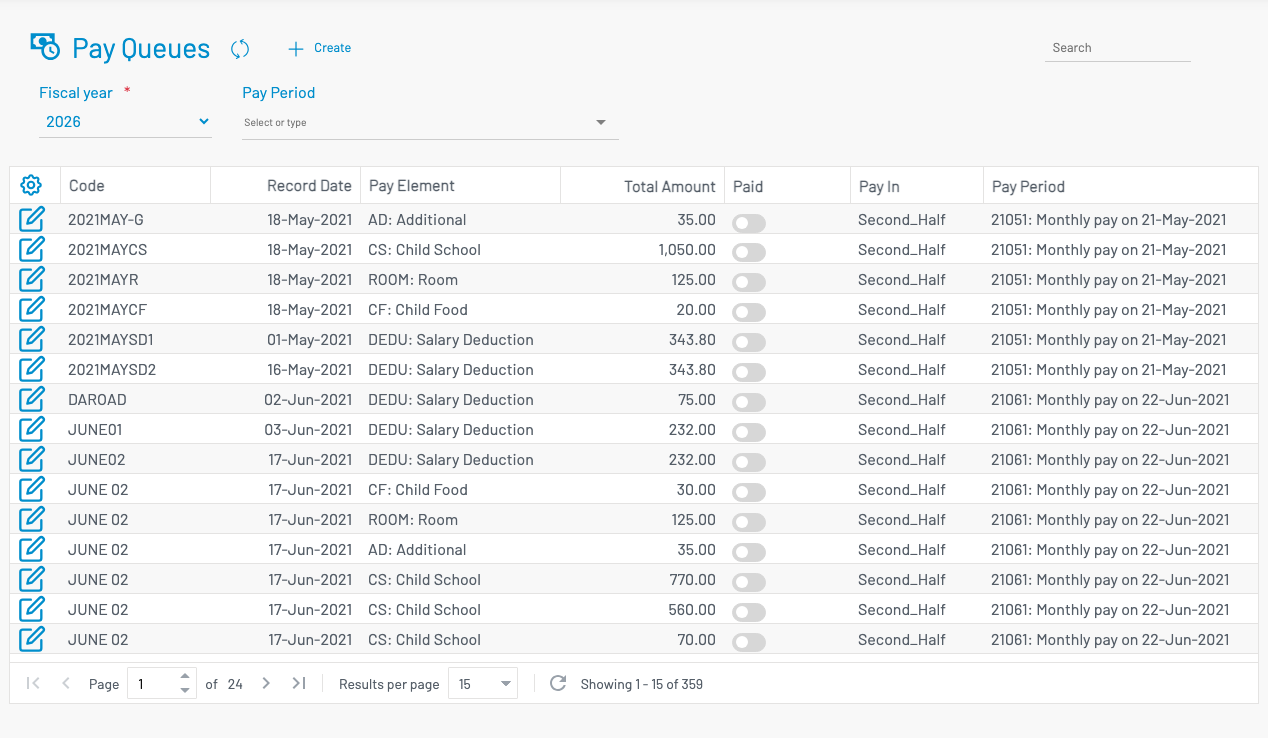
Filter by Fiscal year and Pay period.
List columns
Section titled “ List columns”| Column | Description |
|---|---|
| Code | Queue code. A checkmark indicates the queue has been processed into payroll. |
| Record Date | Entry date. |
| Pay Element | Which earning/deduction element the amounts apply to. |
| Total Amount | Sum of line amounts. |
| Paid | Whether marked paid. |
| Pay In | First half / second half (when half-period mode is enabled). |
| Pay Period | Target pay period. |
Create a pay queue
Section titled “ Create a pay queue”Click + Create.
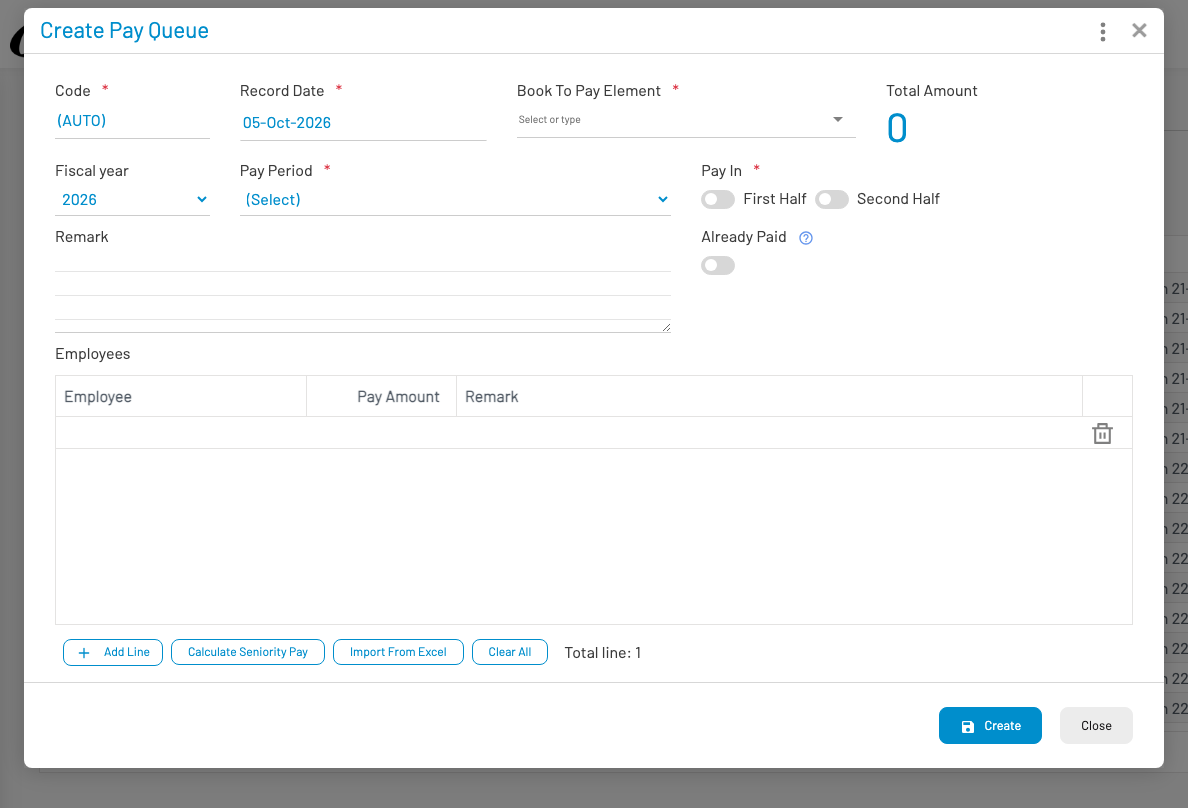
Select the pay period, pay element, and employee lines with amounts, then save. Process payroll from the payroll register so queued amounts are included.