
Pay Elements
Pay elements are the building blocks of payroll — earnings, deductions, and intermediate calculated variables.
Navigation: left sidebar → HR → Payroll → Data Setup → Pay Elements (/payroll/pay-elements).
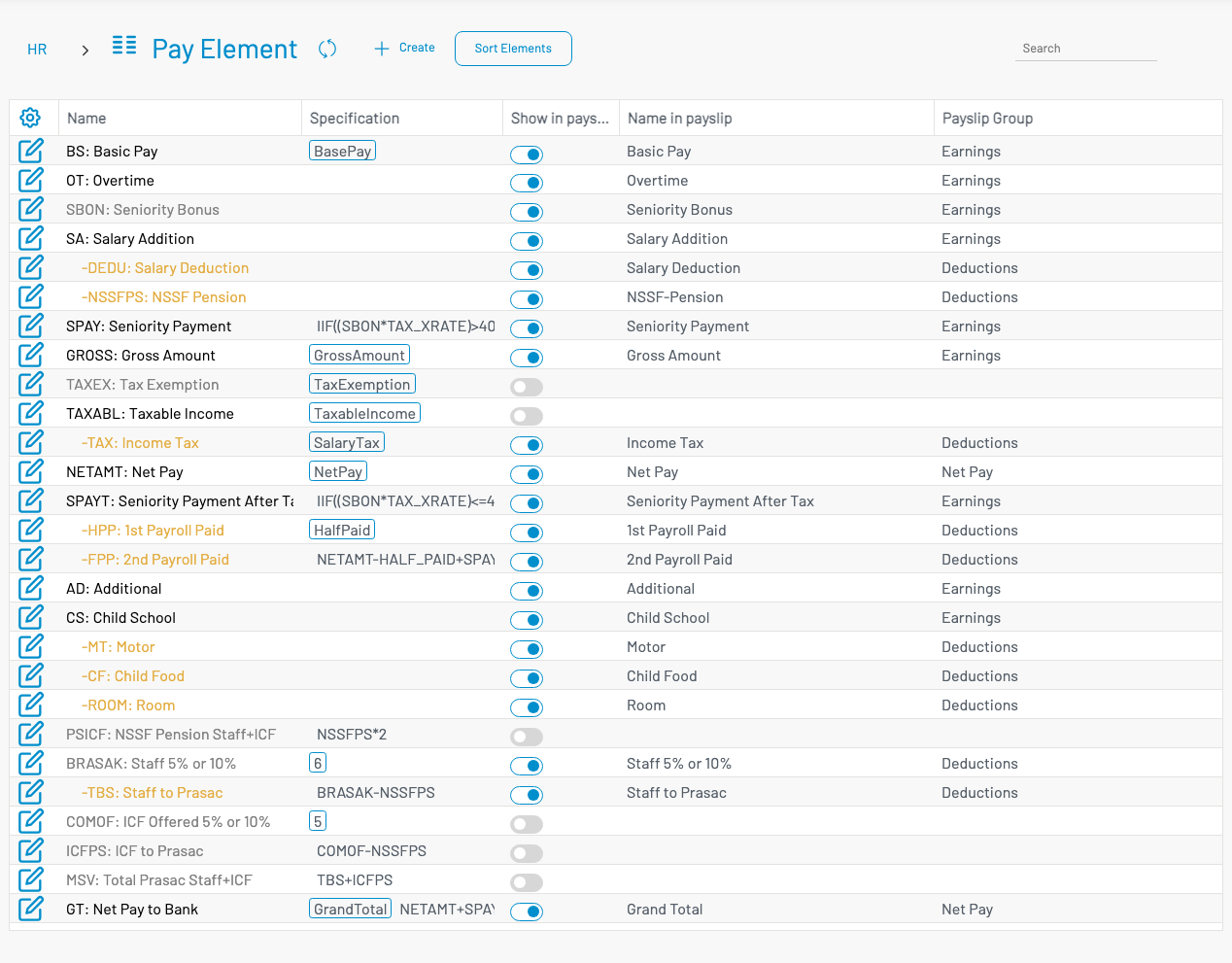
List columns
Section titled “ List columns”| Column | Description |
|---|---|
| Name | Code and name. Deductions are shown with a leading minus and distinct colour. |
| Specification | Special flag badge and/or formula / calc variable. |
| Show in payslip | Toggle whether the element appears on the payslip. |
| Name in payslip | Label printed on the payslip. |
| Payslip Group | Earnings, Deductions, Net Pay, etc. |
Use Sort Elements to control display order.
Create a pay element
Section titled “ Create a pay element”Click + Create.
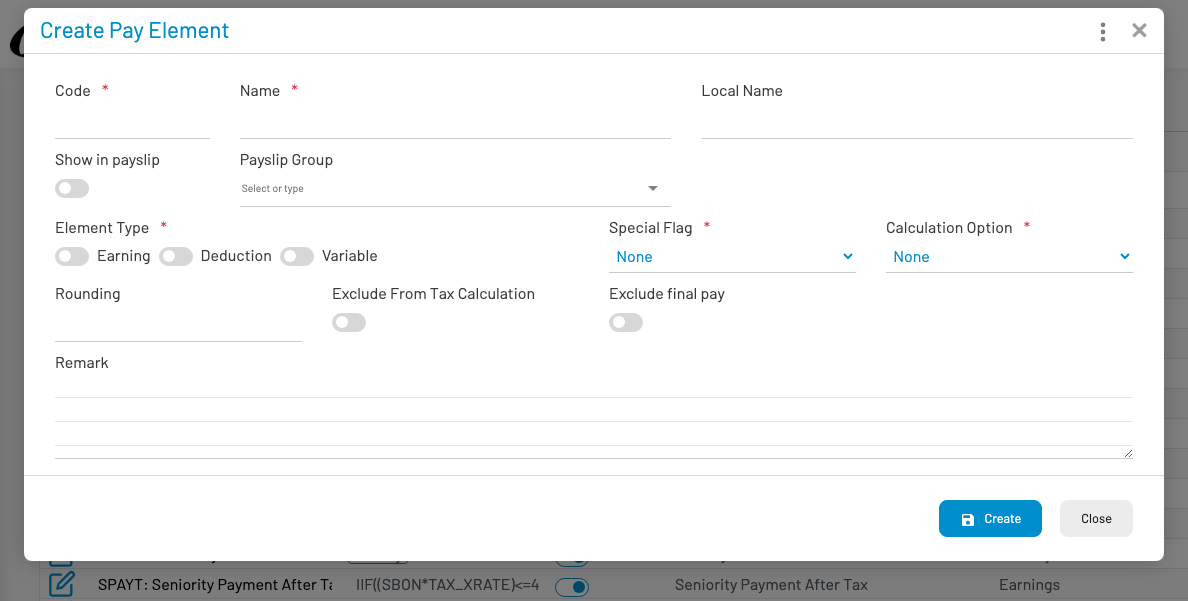
- Enter Code and Name (required). Optional Local name.
- Set Show in payslip, Name in payslip, and Payslip group.
- Choose Element type: Earning, Deduction, or Variable.
- Set Special flag, Calculation option, and Formula when the option is Computed Formula.
- Optional: rounding, exclude from tax / final pay, remark.
- Click Create.