
Inventories Received
Inventories Received records stock received into a location (from a PO or a direct receipt).
Navigation: left sidebar → Inventory → Inventories Received (/inventory/received).
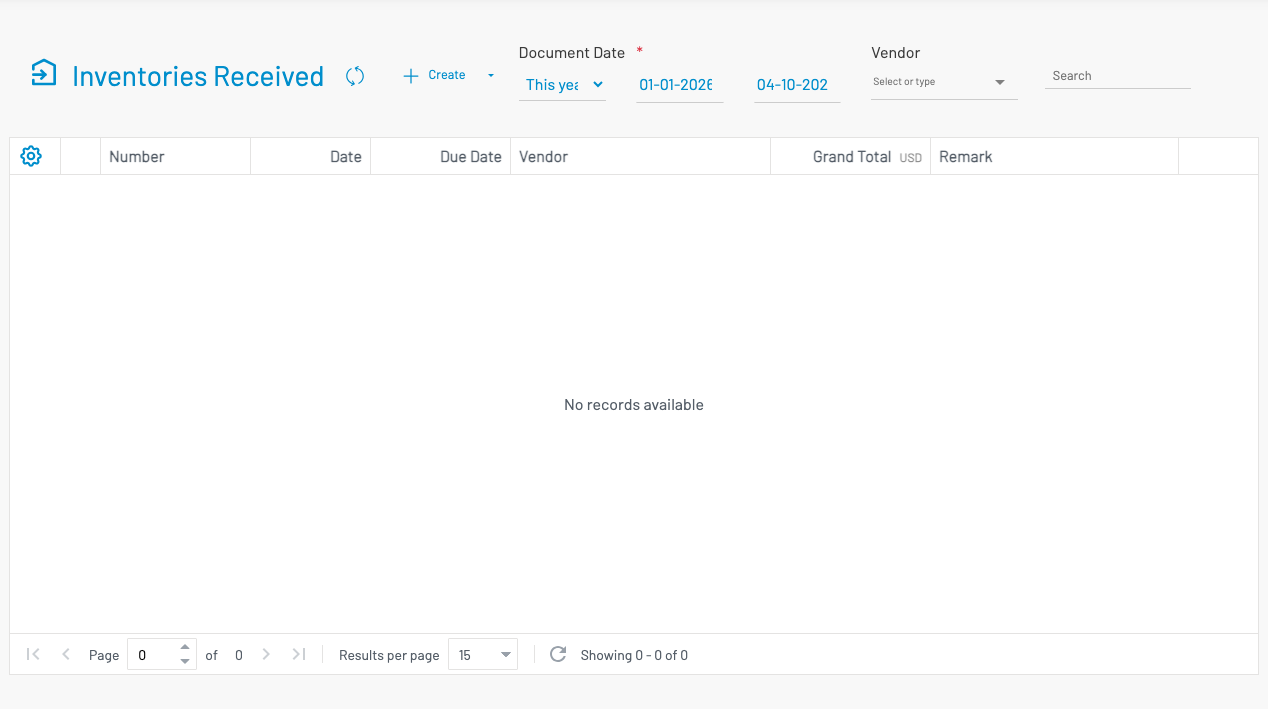
Create a receipt
Section titled “ Create a receipt”Click + Create, or use Receive inventories on a purchase order.
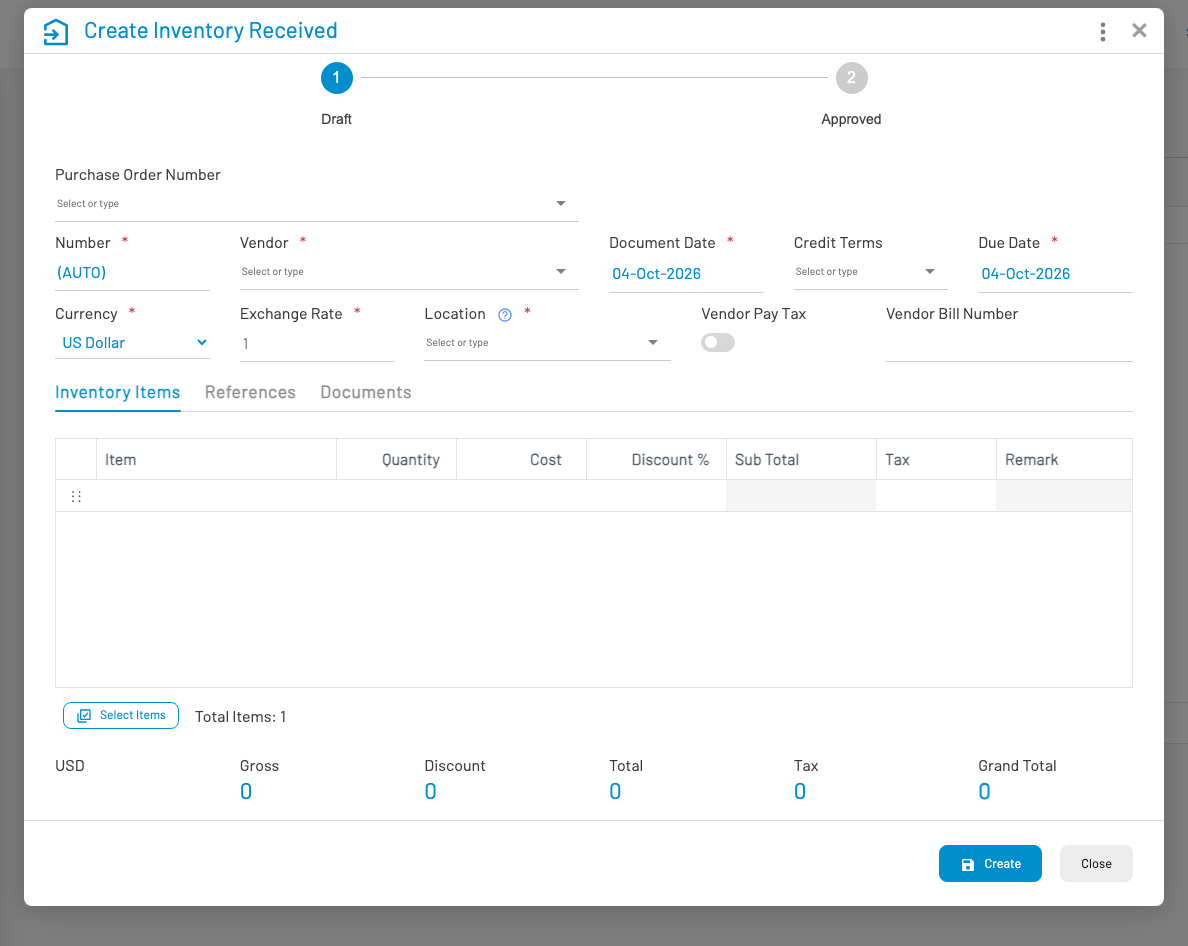
- Select Location and Vendor (if applicable).
- Add line items — product, quantity, cost.
- Save and Approve.
Common actions: Approve, Revert approve, and Create bill (generate a vendor bill from the receipt).