
Leave Records
Leave records are employee leave requests. HR can enter or manage them here.
Self Service: Employees submit Leave Request (/self-service/leave-request), cancel via Leave Cancel Request (/self-service/leave-cancel-request), and review their own history under My Leaves (/self-service/my-leaves). Those requests appear in this list after submit/approval.
Navigation: left sidebar → HR → Leave → Leave Records (/leave/records).
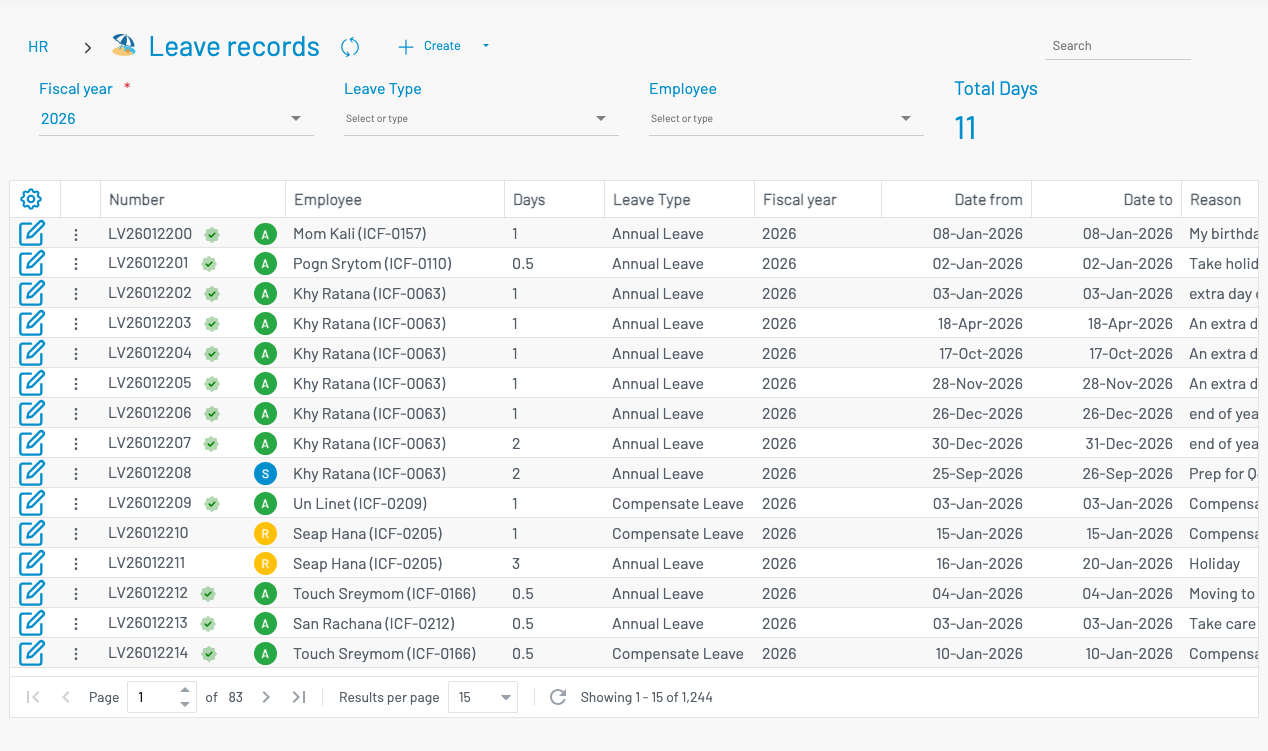
Filter by Fiscal year, Leave type, and Employee. Total Days summarises the filtered list.
List columns
Section titled “ List columns”| Column | Description |
|---|---|
| Number | Leave number with approval / status badges. |
| Employee | Employee name and ID. |
| Days | Leave duration (supports half days). |
| Leave Type | Type of leave taken. |
| Date from / Date to | Leave period. |
| Reason | Request reason. |
Create a leave record
Section titled “ Create a leave record”Click + Create.
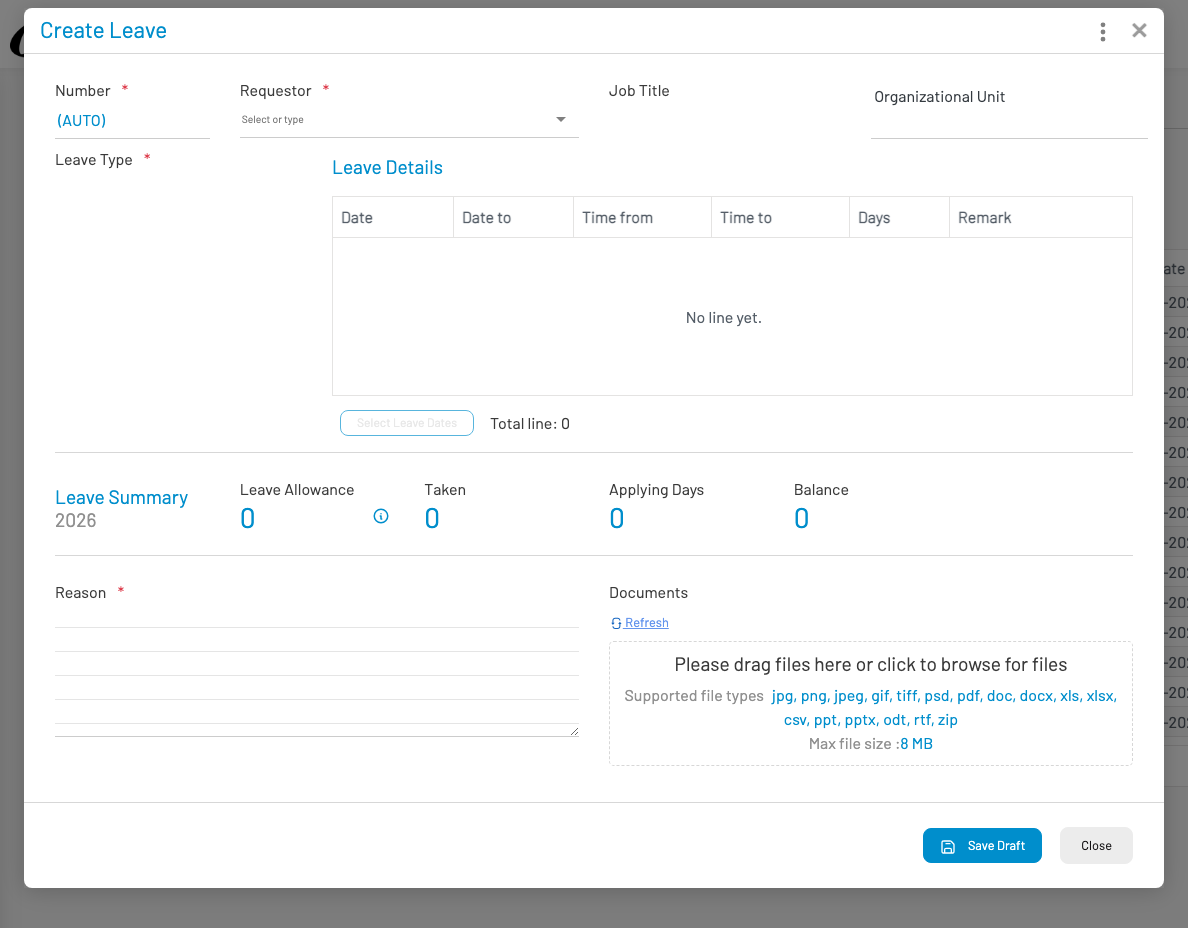
- Select the employee and leave type.
- Set date from/to (days are calculated).
- Enter reason and save draft / submit for approval.
Approved leave reduces balances after balance calculation and appears on the leave calendar.