
Employment Contract
Employment contracts are generated from predefined templates merged with employee, employment, and company data. Templates are maintained separately; printing is done from an employee’s employment record.
Contract templates can be managed through the left sidebar → HR → Personnel → Employment Contract Templates (/personnel/empt-contracts).
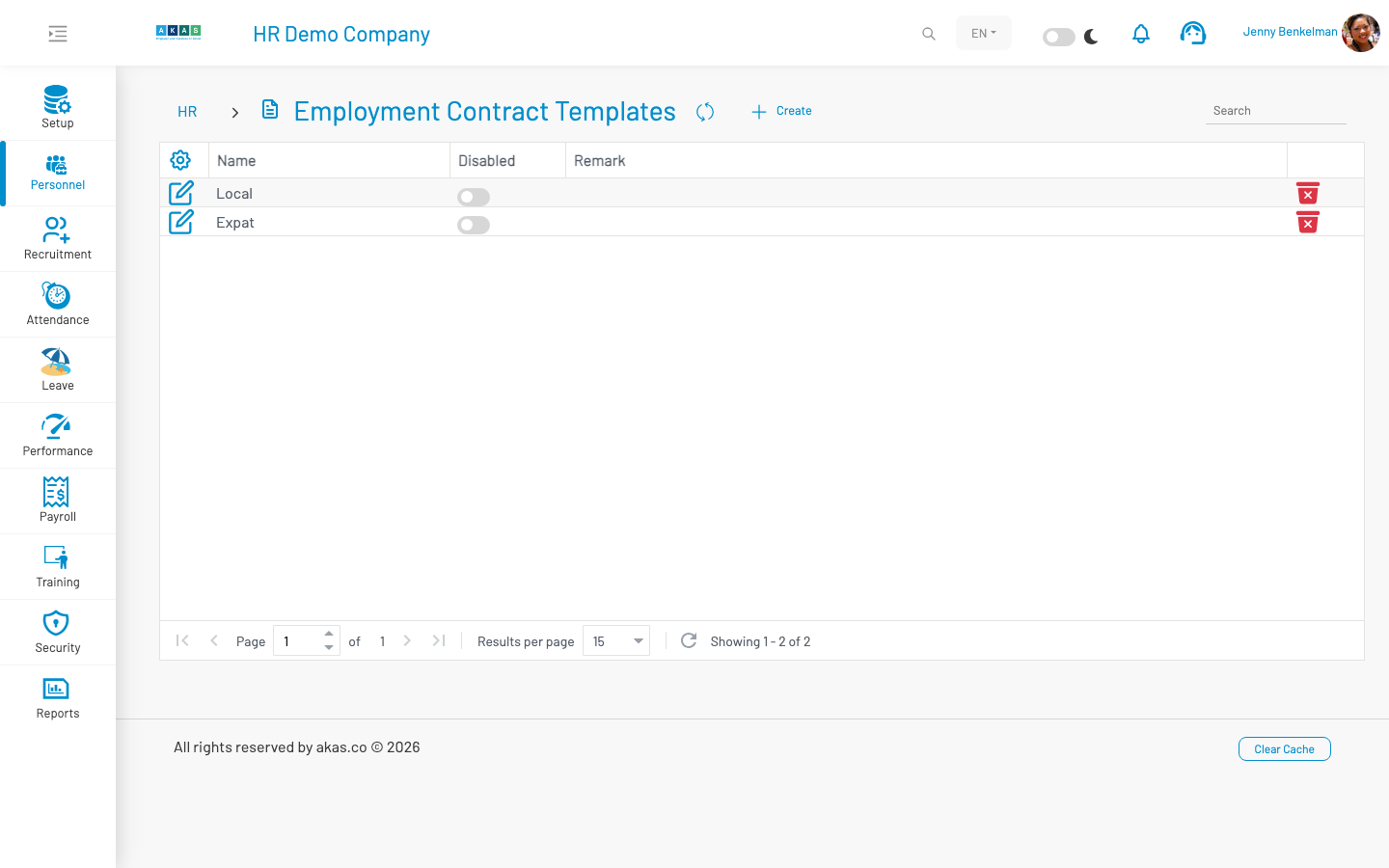
To create a new template, click Create, design the template content, and click Save.
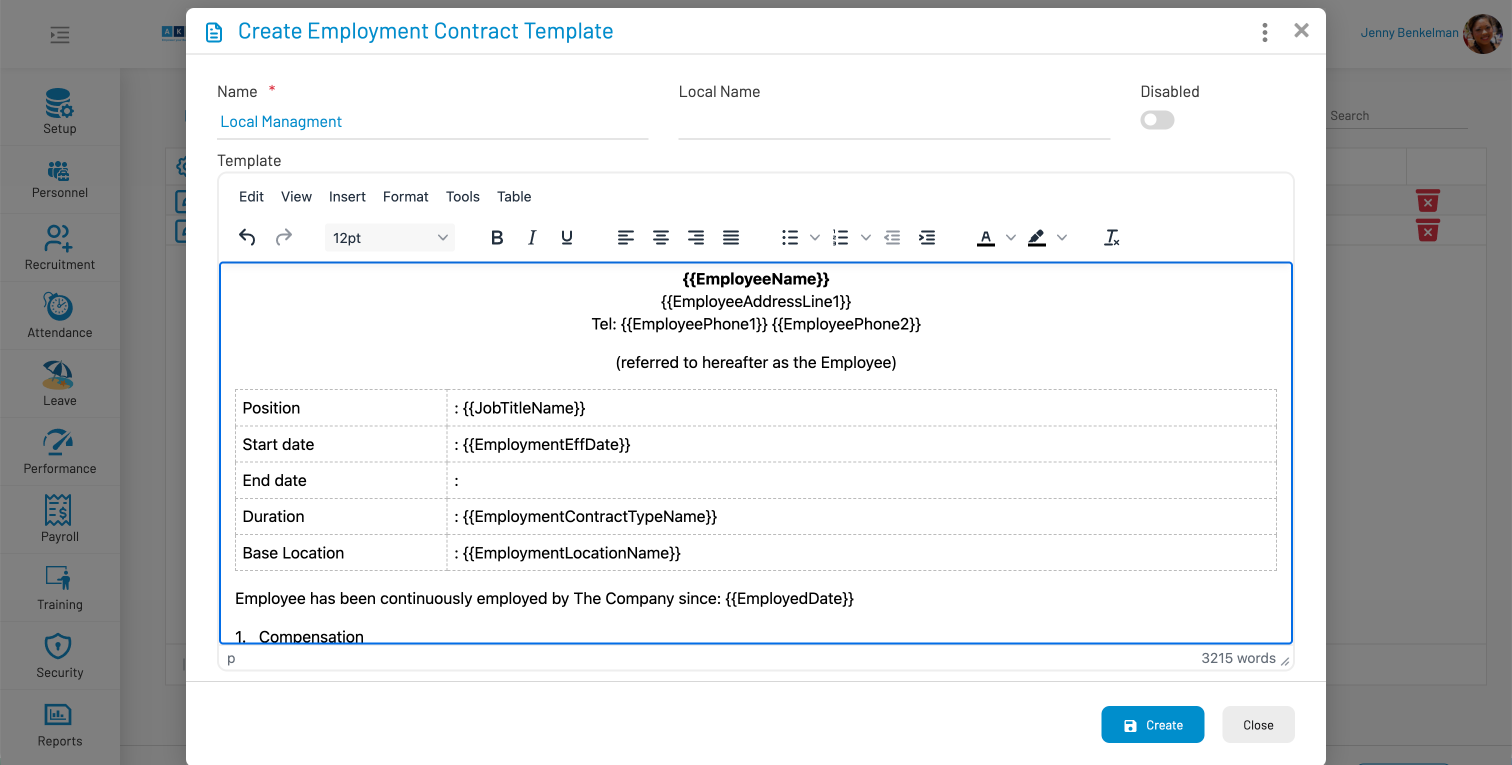
Template fields
Section titled “ Template fields”| Field Name | Type of Data | Description |
|---|---|---|
| Name | Text | Template name shown when printing. |
| Local Name | Text | Local-language template name. |
| Disabled? | Boolean | When checked, template is hidden from the print dialog. |
| Template | Rich text | Contract body with merge variables (e.g. employee name, job title, salary). |
| Supported Variables | Label (read-only) | Lists available merge fields for the template. |
| Remark | Textarea | Optional notes about the template. |
Printing a contract
Section titled “ Printing a contract”Printing is done from an employee’s Employment Record, not from the template list.
Go to HR → Personnel → Employees.
Click the briefcase icon on the employee row to open the Employment Record.
Click Print Contract.
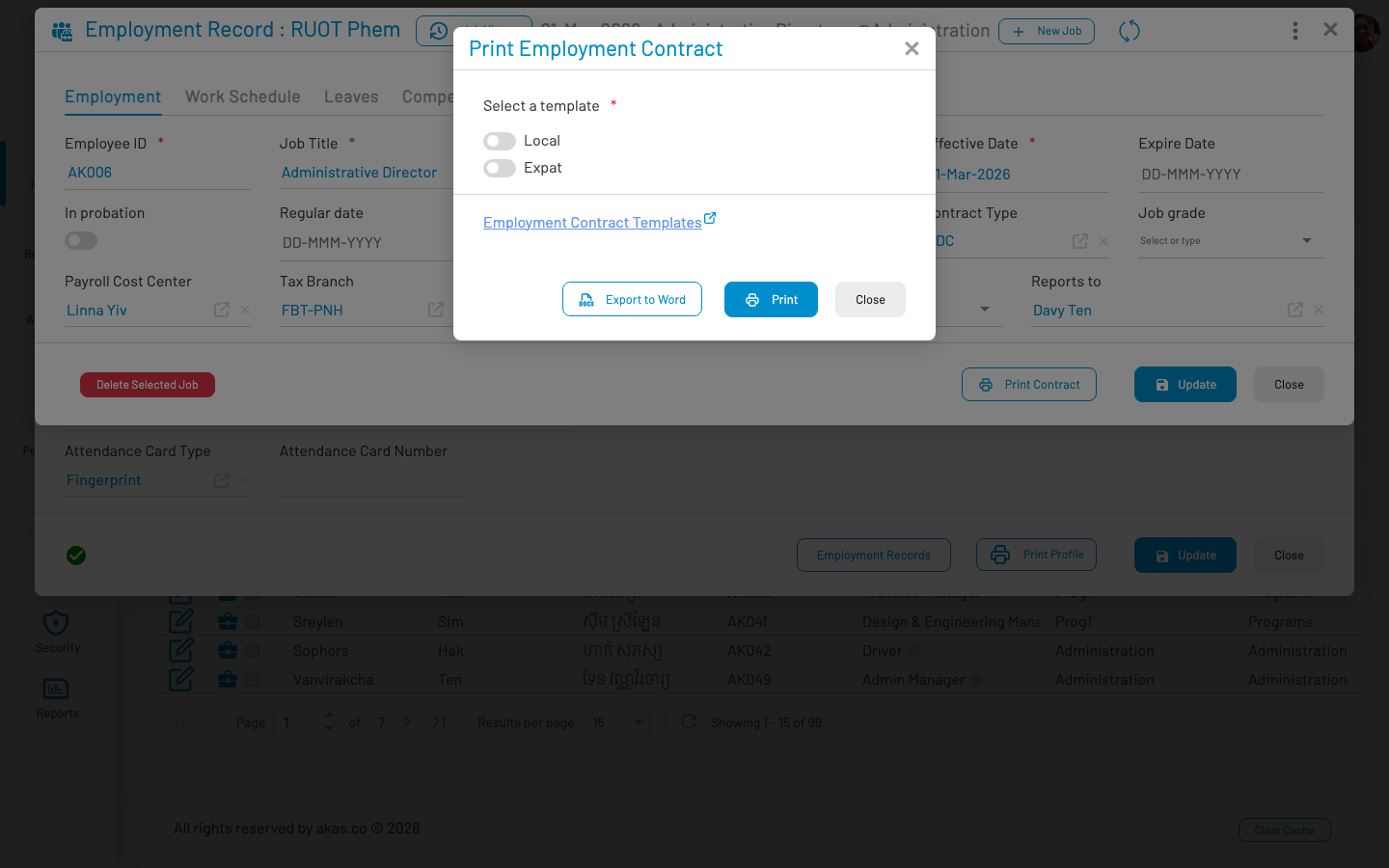
Select a template and click Print (PDF preview) or Export to Word.
| Field Name | Type of Data | Description |
|---|---|---|
| Select a Template | Radio list | Active contract templates (EmptContractTpls). |
Actions:
Print — Preview and print the contract as PDF.
Export to Word — Download the contract as a Word document.
Employment Contract Templates link — Opens the template admin page in a new tab.
Note: Template variables are populated automatically from company, employee, and employment data (e.g. employee name, job title, employed date, base salary). When base currency or salary structure changes, review and update templates accordingly.