
Customer Deposits
Customer Deposits record advance payments from customers. Remaining deposit balances can later be applied to invoices or refunded.
Navigation: left sidebar → Revenues → Customer Deposits (/revenue/customer-deposits).
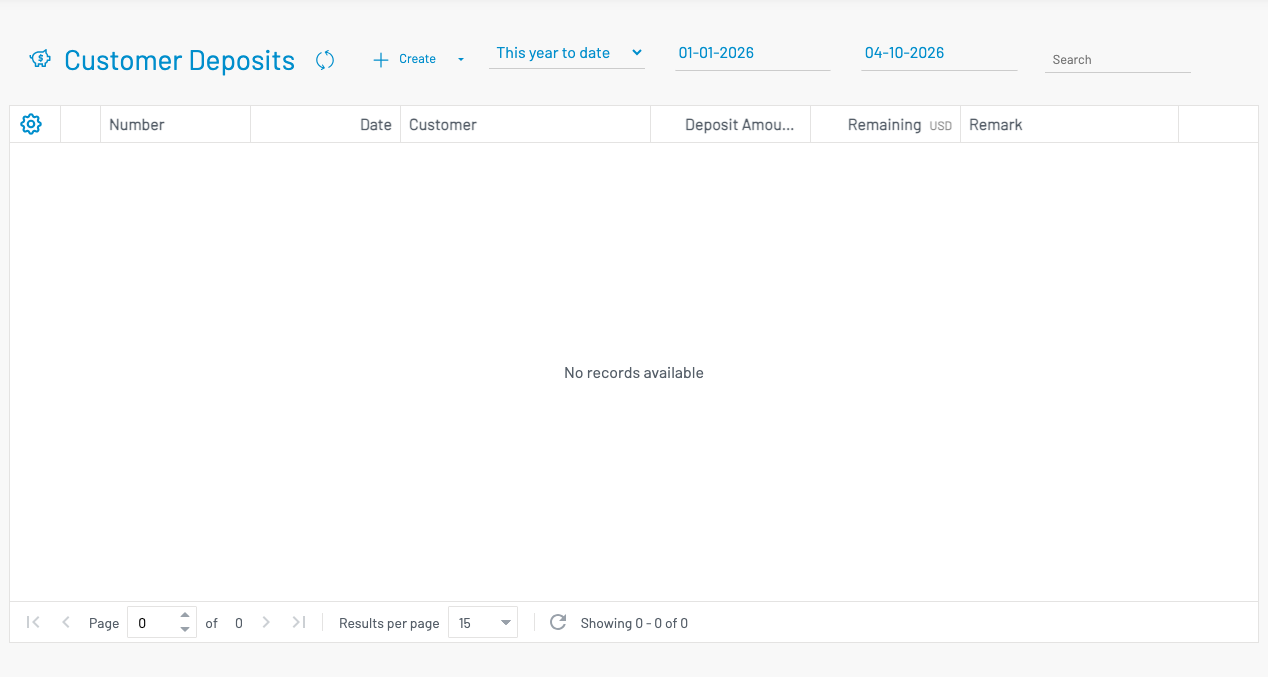
List columns
Section titled “ List columns”| Column | Description |
|---|---|
| Number | Deposit document number. |
| Date | Deposit date. |
| Customer | Customer who paid the deposit. |
| Grand Total | Original deposit amount. |
| Remaining | Unapplied balance available for invoices or refund. |
| Remark | Notes. |
Create a deposit
Section titled “ Create a deposit”Click + Create.
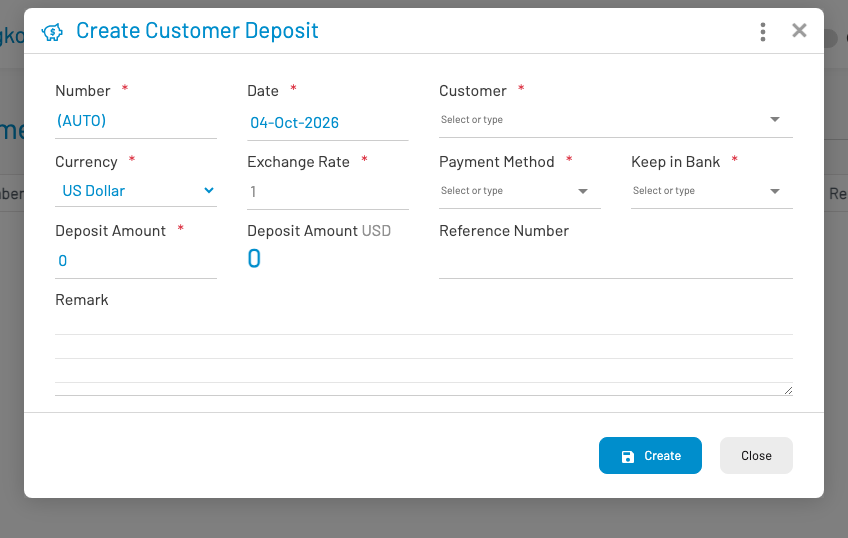
Select the customer, enter the deposit amount and payment details, then save and approve. Use Deposit Applications to apply remaining balance to invoices, or Deposit Refunds to return unused funds.