
Performance Reviews
Performance reviews are review instances for employees, based on a review template. The HR list is used to monitor, add supervisor-selected reviewers, approve, and print.
Self Service: Employees start or open their review from Dashboard → Self Service → Performance Review (/self-service/performance-review). There is no + Create on the HR list — new reviews come from self-service (or related supervisor flows).
Navigation: left sidebar → HR → Performance → Performance Reviews (/performance/reviews).
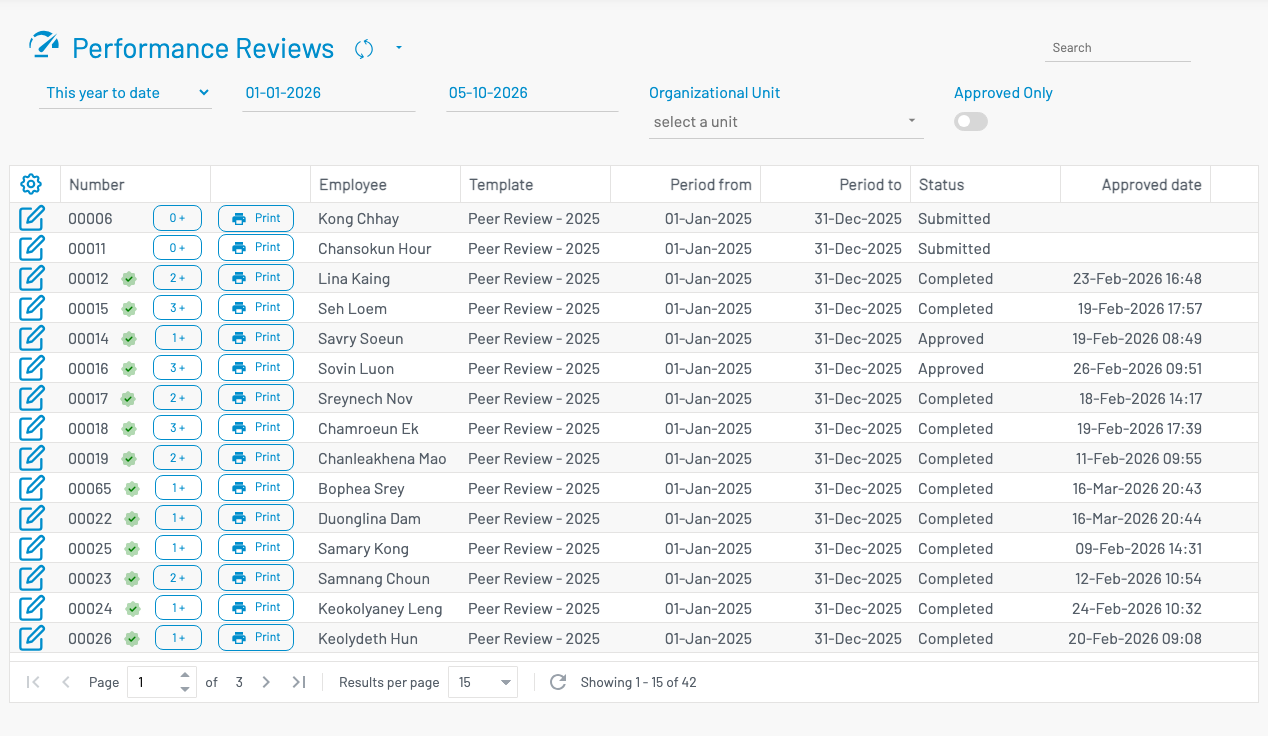
Filter by date range, Organizational Unit, and Approved Only.
List columns
Section titled “ List columns”| Column | Description |
|---|---|
| Number | Review number; checkmark when approved. Use N+ to add supervisor-selected reviewers. |
| Open the printable review. | |
| Employee | Reviewee. |
| Template | Review template used. |
| Period from / to | Review period. |
| Status | Submitted, Completed, Approved, etc. |
| Approved date | When the review was approved. |
View a review
Section titled “ View a review”Open a row to view details.
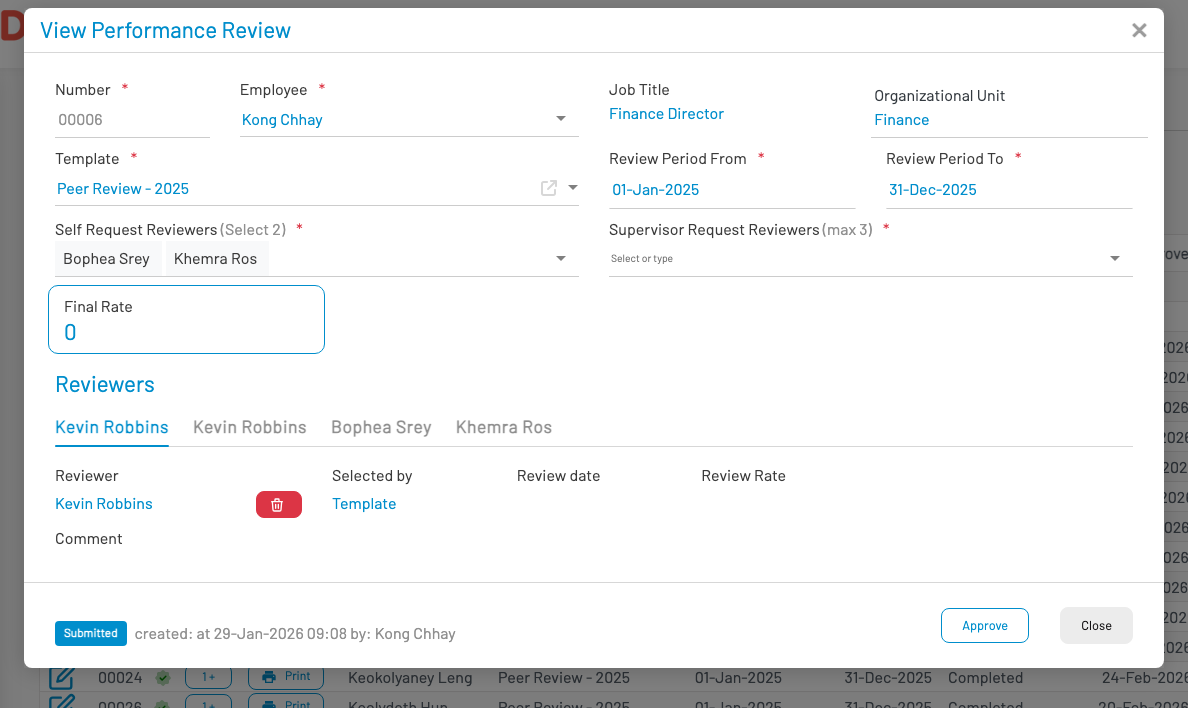
The form shows employee, template, period, self- and supervisor-selected reviewers, Final rate, and per-reviewer tabs (rate and comments). From here you can Approve (when permitted) or use Print from the list.