
Invoices
Invoices bill customers for goods and services. Approved invoices drive accounts receivable until they are paid by receipts.
Navigation: left sidebar → Revenues → Invoices (/revenue/invoices).
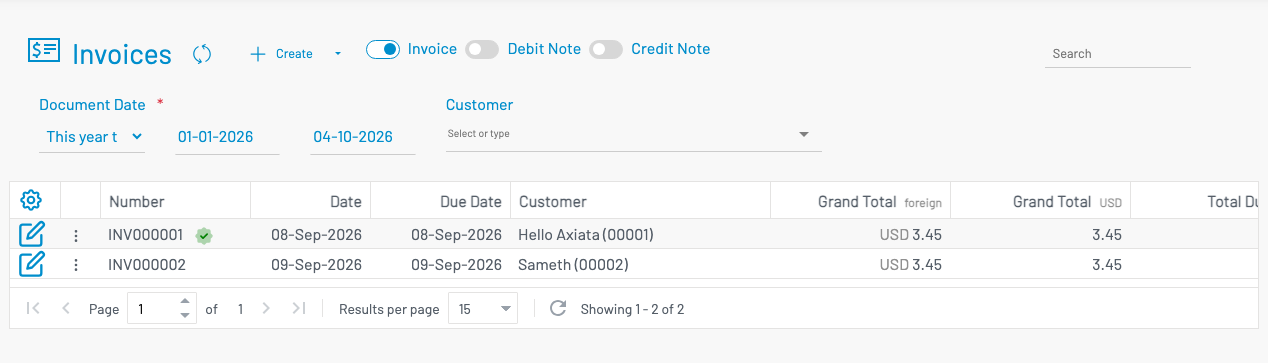
Overview
Section titled “ Overview”Toggle Invoice, Debit Note, or Credit Note to switch document types. Filter by document date and customer. Use Search to find a number or customer.
List columns
Section titled “ List columns”| Column | Description |
|---|---|
| Number | Invoice number (status icons may appear when approved/paid). |
| Date | Invoice date. |
| Due Date | Payment due date. |
| Customer | Customer name and code. |
| Grand Total | Invoice amount (foreign and/or base currency). |
| Total Due / Total Paid | Outstanding and paid balances. |
| Remark | Notes. |
Create an invoice
Section titled “ Create an invoice”Click + Create.
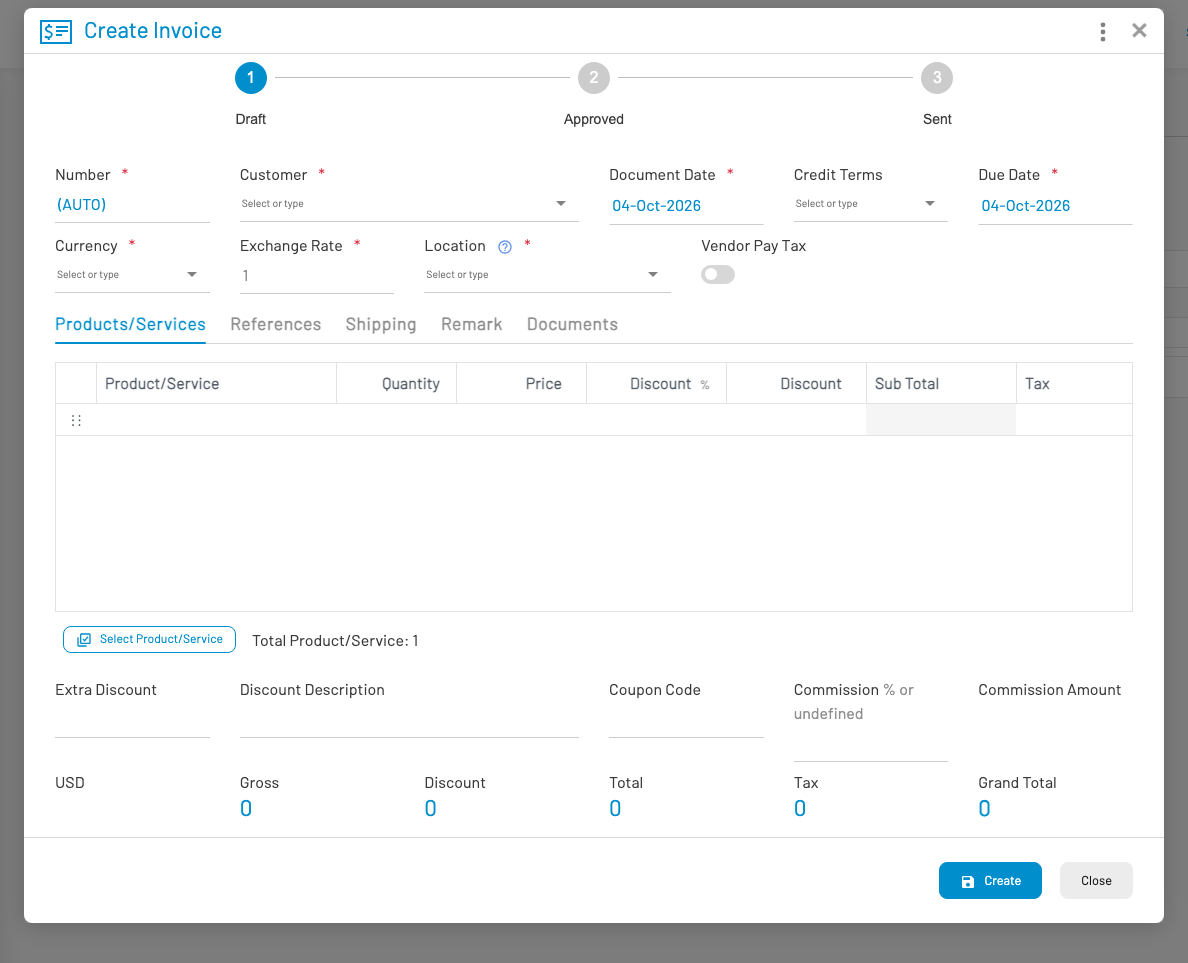
- Select Customer. Document number is typically (AUTO). Credit Terms defaults from the customer’s credit terms when set.
- Set Document Date, Credit Terms, Due Date, Currency, and Location. Changing Credit Terms recalculates Due Date from the document date plus the term’s due days.
- On the Products/Services tab, add line items (quantity, price, discount, tax).
- Optionally set coupon code, extra discount, or commission.
- Click Create, then Approve when ready to post.
The status bar shows progress: Draft → Approved → Sent.
Common actions
Section titled “ Common actions”| Action | Description |
|---|---|
| Generate PDF | |
| Approve | Post the invoice |
| Revert approve | Return to draft |
| Customer pay | Create a receipt for this invoice |
| Open / copy share link | Public invoice page for the customer |