
Review Templates
Review templates define the structure of a performance review cycle: sections with KPIs, rating groups, weights, and who can review.
Navigation: left sidebar → HR → Performance → Review Templates (/performance/templates).
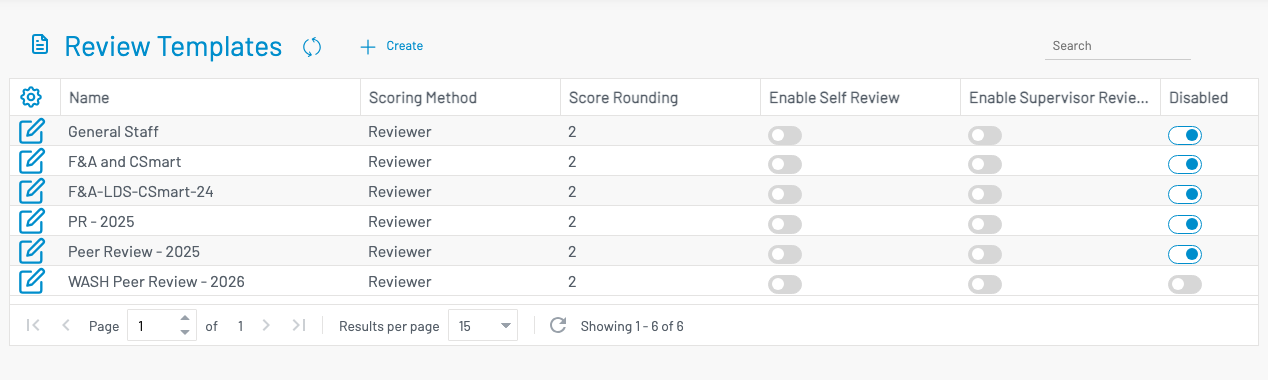
Create a template
Section titled “ Create a template”Click + Create.
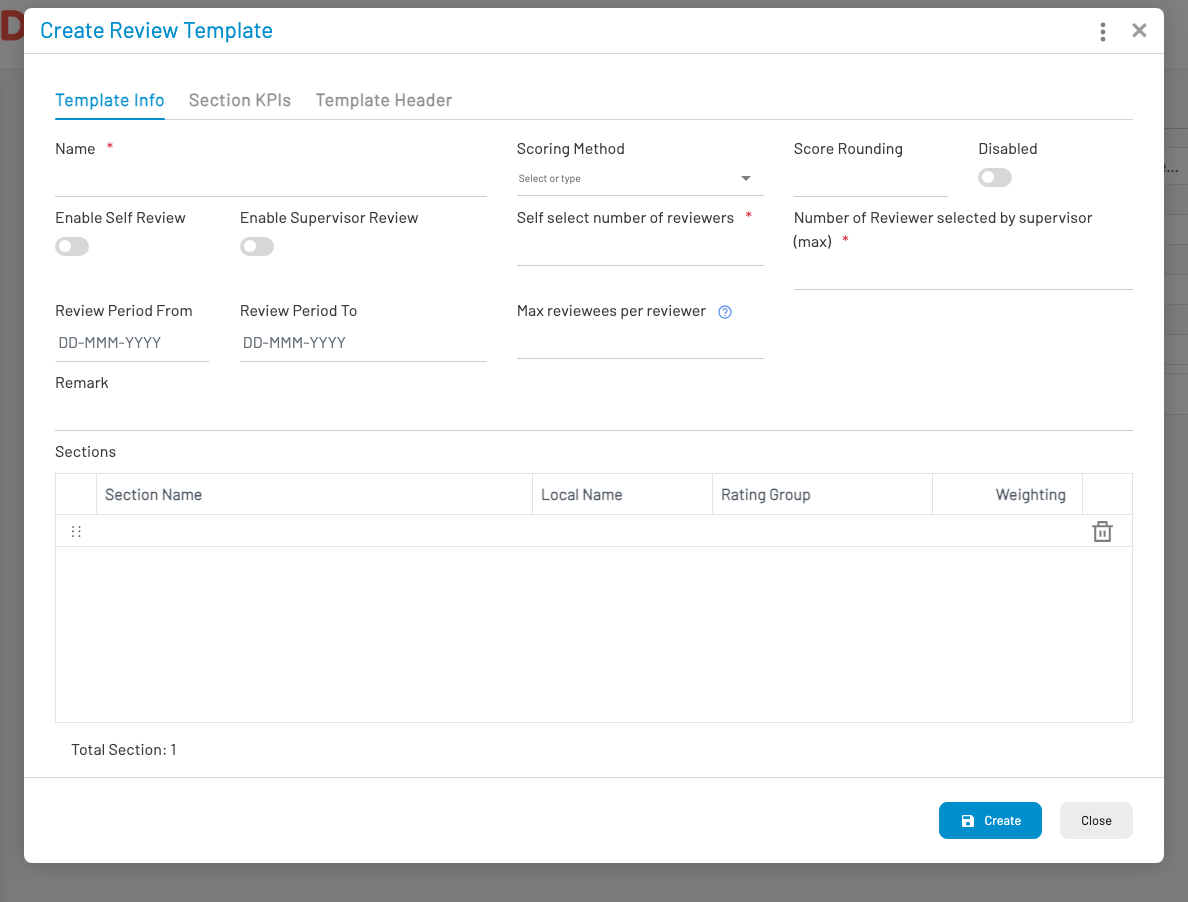
On Template Info:
- Enter Name, scoring method, and score rounding.
- Enable Self review / Supervisor review as needed.
- Set how many reviewers the employee may select, and the max supervisor-selected reviewers.
- Optionally set default review period from/to and max reviewees per reviewer.
- Add Sections (name, rating group, weighting).
Use Section KPIs to attach KPIs to each section, and Template Header for header content. Click Create.
Employees then raise or are assigned performance reviews based on the template.