
Inventory Items
Inventory Items are products that track stock. Configure them before receiving or transferring inventory.
Navigation: left sidebar → Inventory → Data Setup → Inventory Items (/inventory/items).
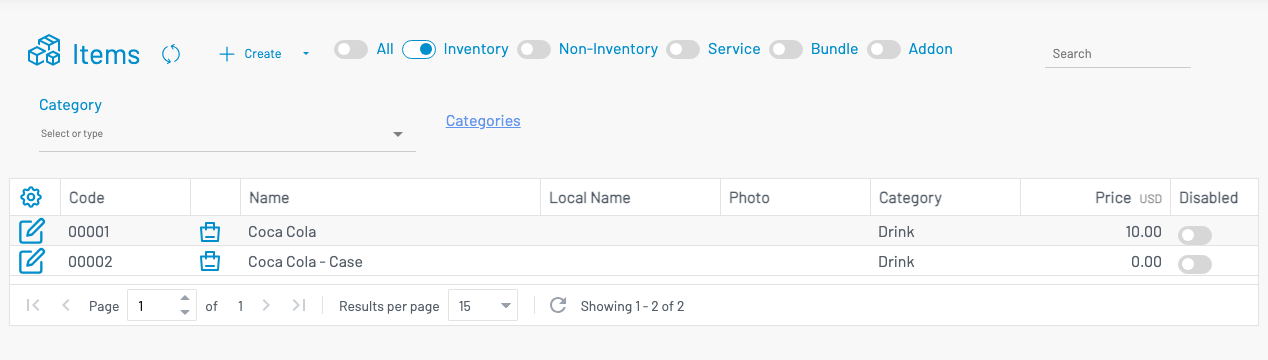
Create an item
Section titled “ Create an item”Click + Create.
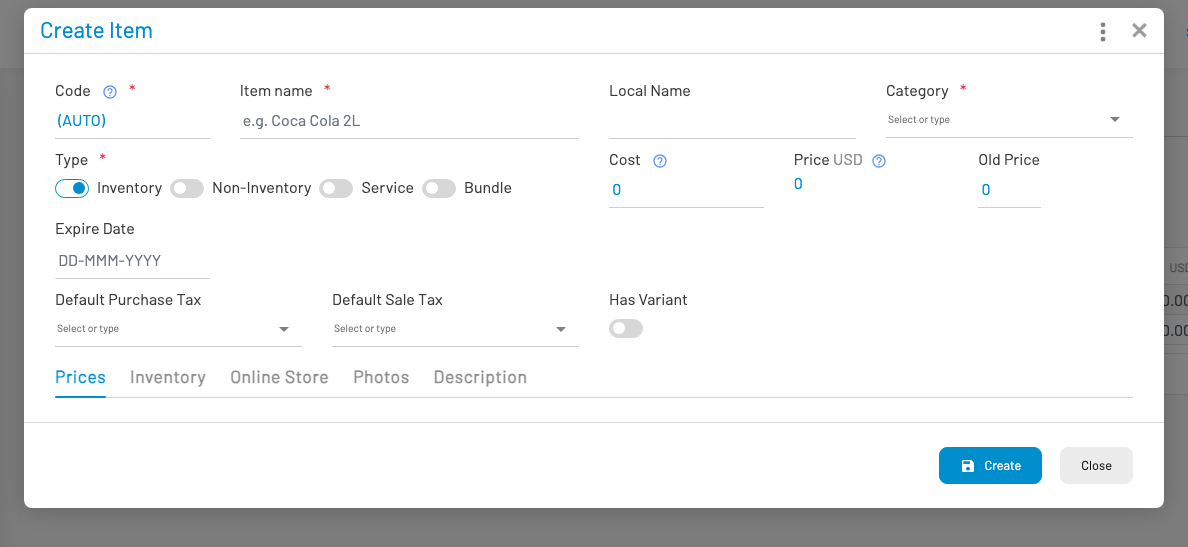
Enter code, name, category, unit cost/price, and ensure the item type tracks inventory. Save (and approve if required). The same product master is shared with Revenues → Items for selling.
Accounting
Section titled “ Accounting”Inventory items inherit GL accounts from their category and from GL Account Mappings — there is no separate GL picker on the inventory item form.
| Event | Typical accounts | Override on category |
|---|---|---|
| Receive stock / hold inventory | Inventory (asset) | Inventory account |
| Sell stock (invoice COGS) | COGS + Inventory | Cost of goods + Inventory |
| Stock issue / free goods | Issue (or COGS) + Inventory | Stock issue account (falls back to COGS) |
Why this matters: GL Account Mappings define one default Inventory and COGS account for the whole company. Use category Accounting when product groups need different stock or cost accounts (for example raw materials vs finished goods). Leave category accounts empty to use the mapped defaults.
Complete Chart of Accounts and GL Account Mappings before posting inventory-related journals.