
Applicants
Applicants are master person records used across job applications. Create them here, from a job application, or via public apply.
Navigation: left sidebar → HR → Recruitment → Applicants (/recruitment/applicants).
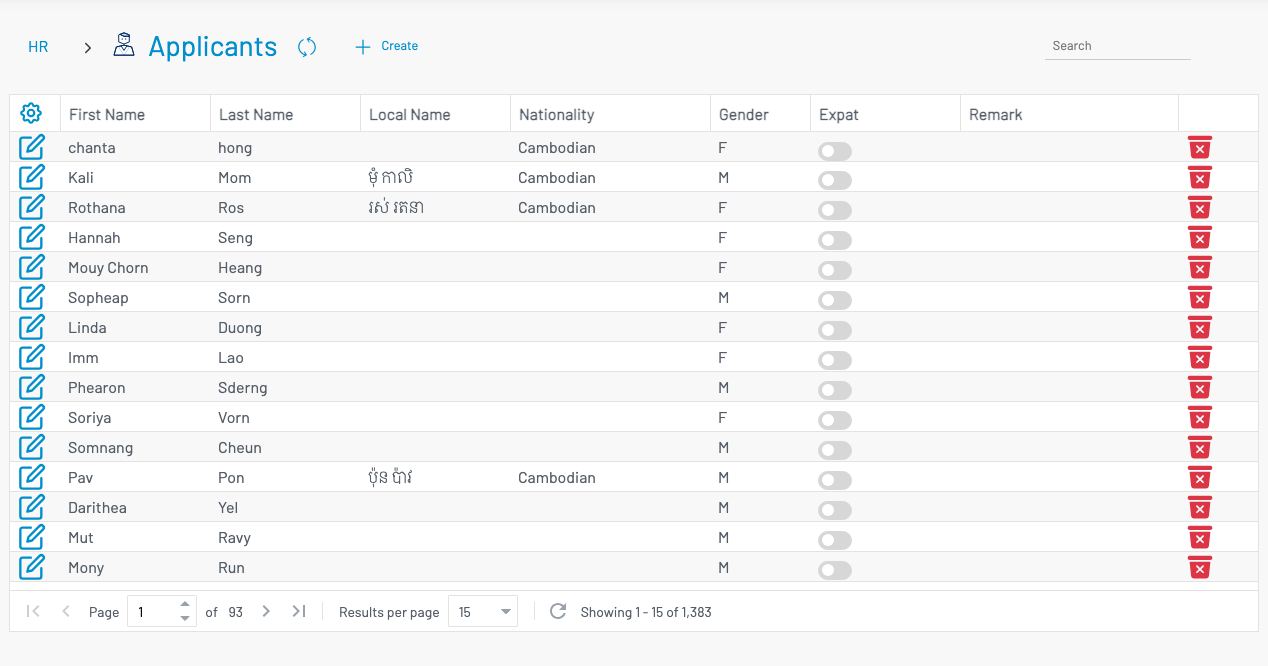
List columns
Section titled “ List columns”| Column | Description |
|---|---|
| First Name / Last Name | Applicant name. |
| Local Name | Name in local script (if used). |
| Nationality | Nationality. |
| Gender | Gender. |
| Expat | Whether the applicant is marked as an expatriate. |
| Remark | Notes. |
Create an applicant
Section titled “ Create an applicant”Click + Create.
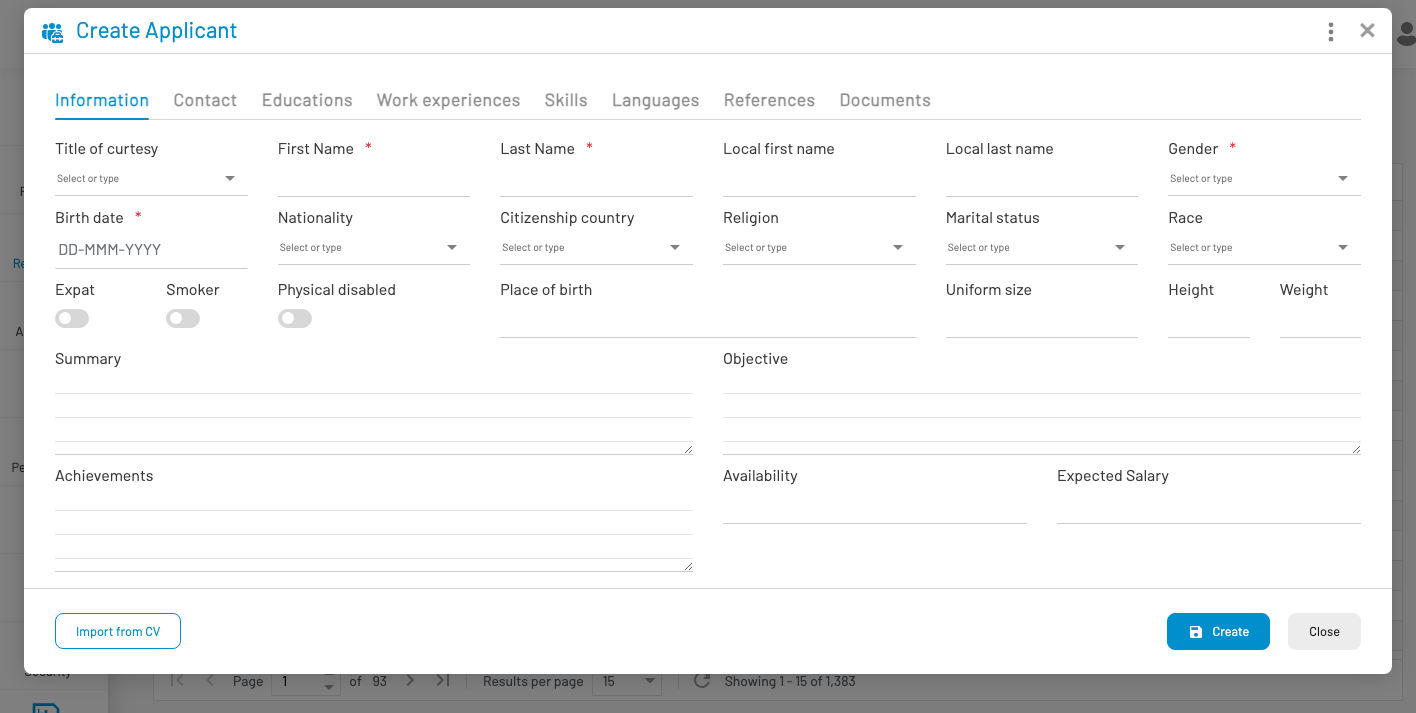
Tabs:
- Information — name, gender, birth date, nationality, expat/smoker/disabled flags, summary, objective, achievements, availability, expected salary
- Contact, Educations, Work experiences, Skills, Languages, References, Documents
Required on Information: First Name, Last Name, Gender, Birth date.
Optional: Import from CV to prefill from a résumé file. Click Create to save.
Link applicants to openings from Job applications.