
Employee Separation
Employee Separation records the end of an employee’s employment — resignation, termination, retirement, or other separation types. Approved separations mark the employee as separated and may trigger final pay processing.
Self Service: Employees can submit a Resignation Request from Dashboard → Self Service → Resignation Request (/self-service/resign-request). After submit/approval, HR manages the case here as a separation record.
Separations can be managed through the left sidebar → HR → Personnel → Separations (/personnel/separations).
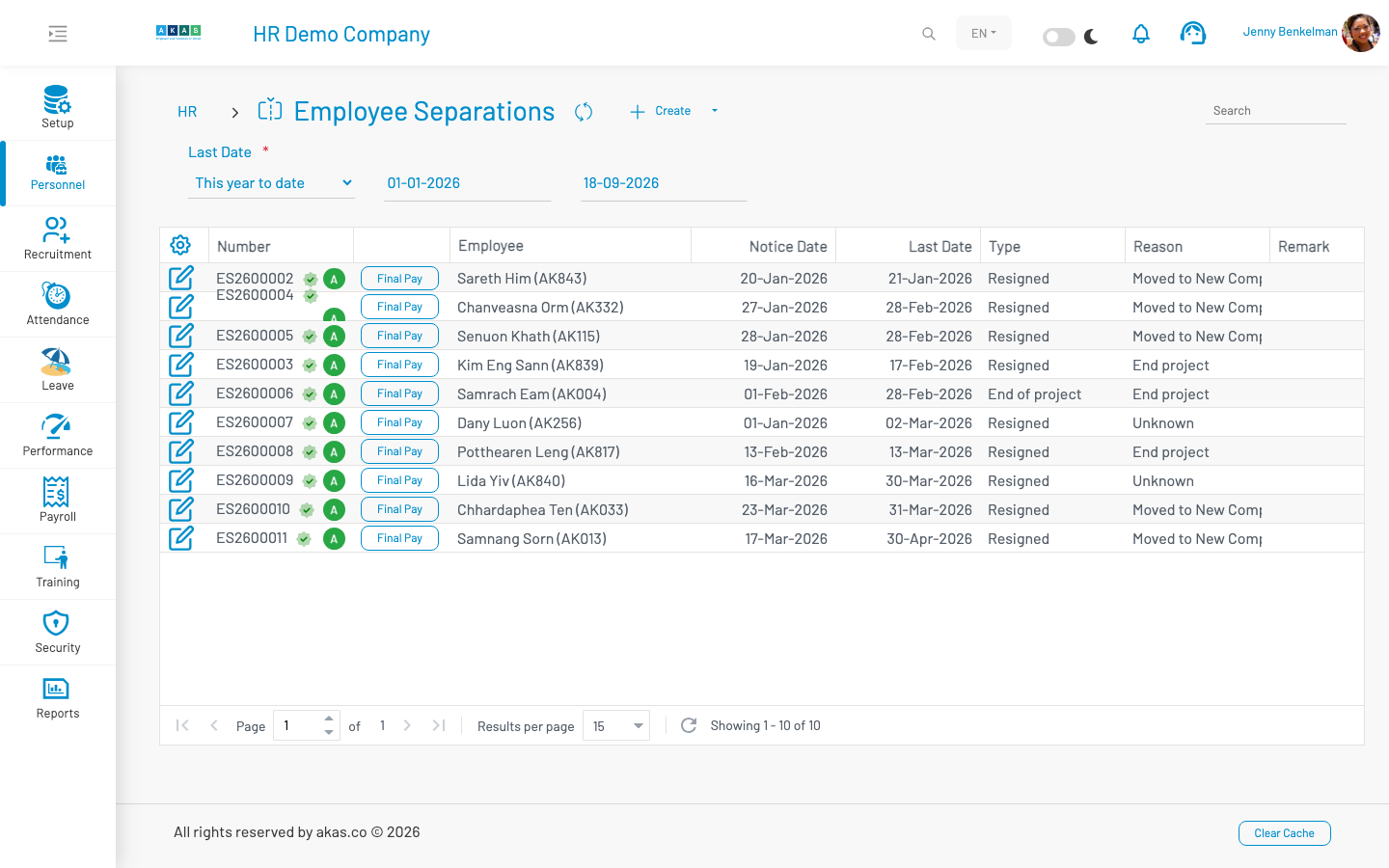
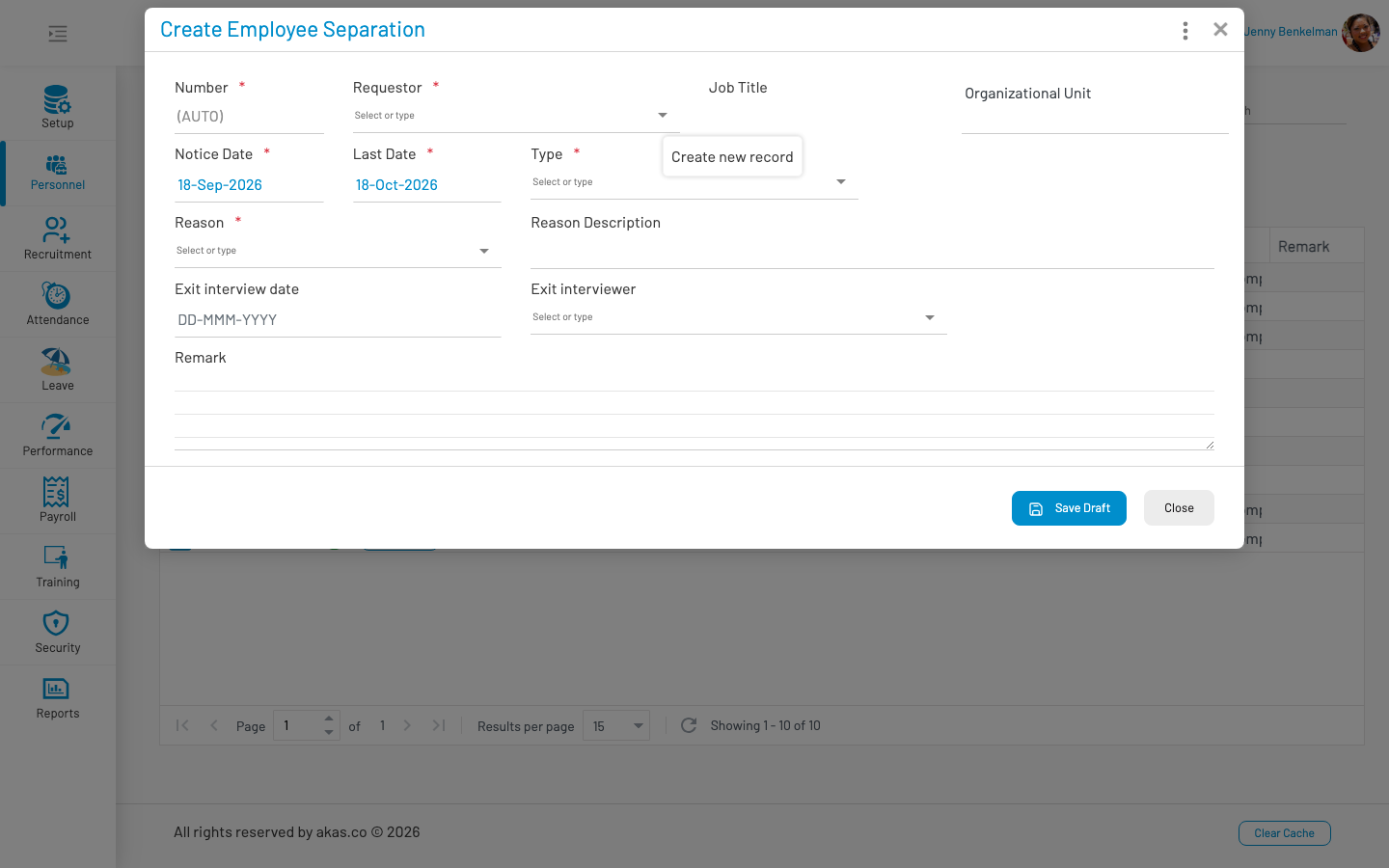
To record a new separation, click Create, fill in the form, and click Save.
List columns
Section titled “ List columns”| Column | Description |
|---|---|
| Number | Separation document number. Shows approval badge and status. |
| Employee | Employee being separated. |
| Final Pay | Button to process final pay (visible after approval). |
| Notice Date | Date separation was notified. |
| Last Date | Employee’s last working day. |
| Type | Separation type (LOV 30). |
| Reason | Separation reason (LOV 31). |
| Remark | Additional notes. |
The list is filtered by Last Date (default: this year).
Form fields
Section titled “ Form fields”| Field Name | Type of Data | Description |
|---|---|---|
| Number | Auto-number | Document number (draft until approved). |
| Employee | Lookup | Employee being separated. Required. |
| Notice Date | Date | Date the separation was notified. Required. Default: today. |
| Last Date | Date | Employee’s last working day. Required. Default: today + 30 days. |
| Type | LOV (30) | Separation type (e.g. resignation, termination). Required. |
| Reason | LOV (31) | Reason for separation. Required. |
| Reason Description | Text | Additional description of the reason. |
| Exit Interview Date | Date | Date of exit interview, if conducted. |
| Exit Interviewer | Lookup | Employee who conducted the exit interview. |
| Remark | Textarea | Optional notes. |
Workflow
Section titled “ Workflow”Create a separation record — assigned a draft number (e.g. Draft1).
Approve the separation — assigns a formal document number.
After approval, if the last date has passed, the employee is marked as separated.
Click Final Pay on approved separations to process the employee’s final payroll.
Separation records can also be accessed from the employee or employment form via Separation Info.
Note: Approved separation records cannot be deleted. Cancelled separations are shown in red.