
Employee Award
Employee Award records recognition given to employees — awards, certificates, or monetary prizes for outstanding performance or service.
Awards can be managed through the left sidebar → HR → Personnel → Awards (/personnel/awards).
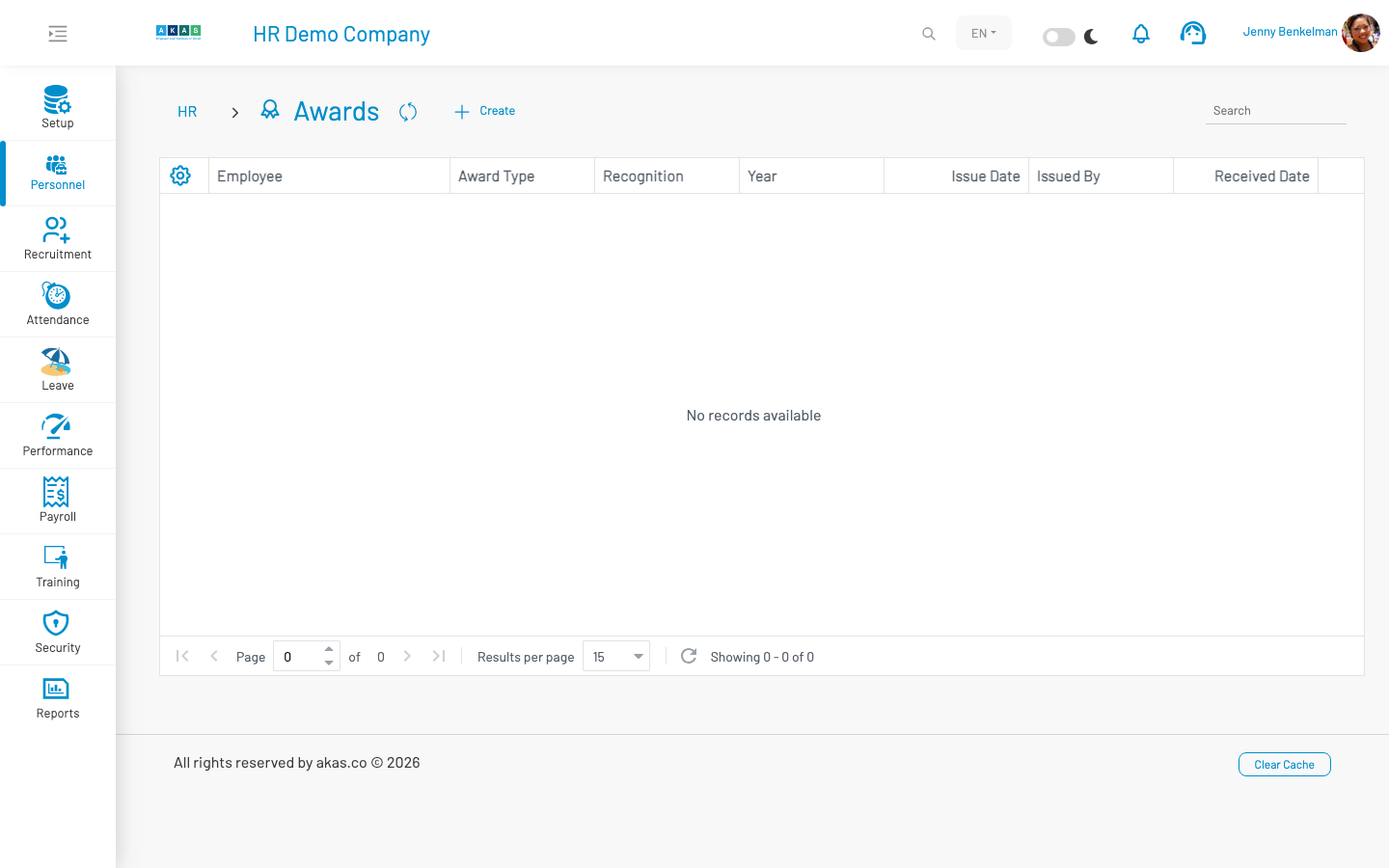
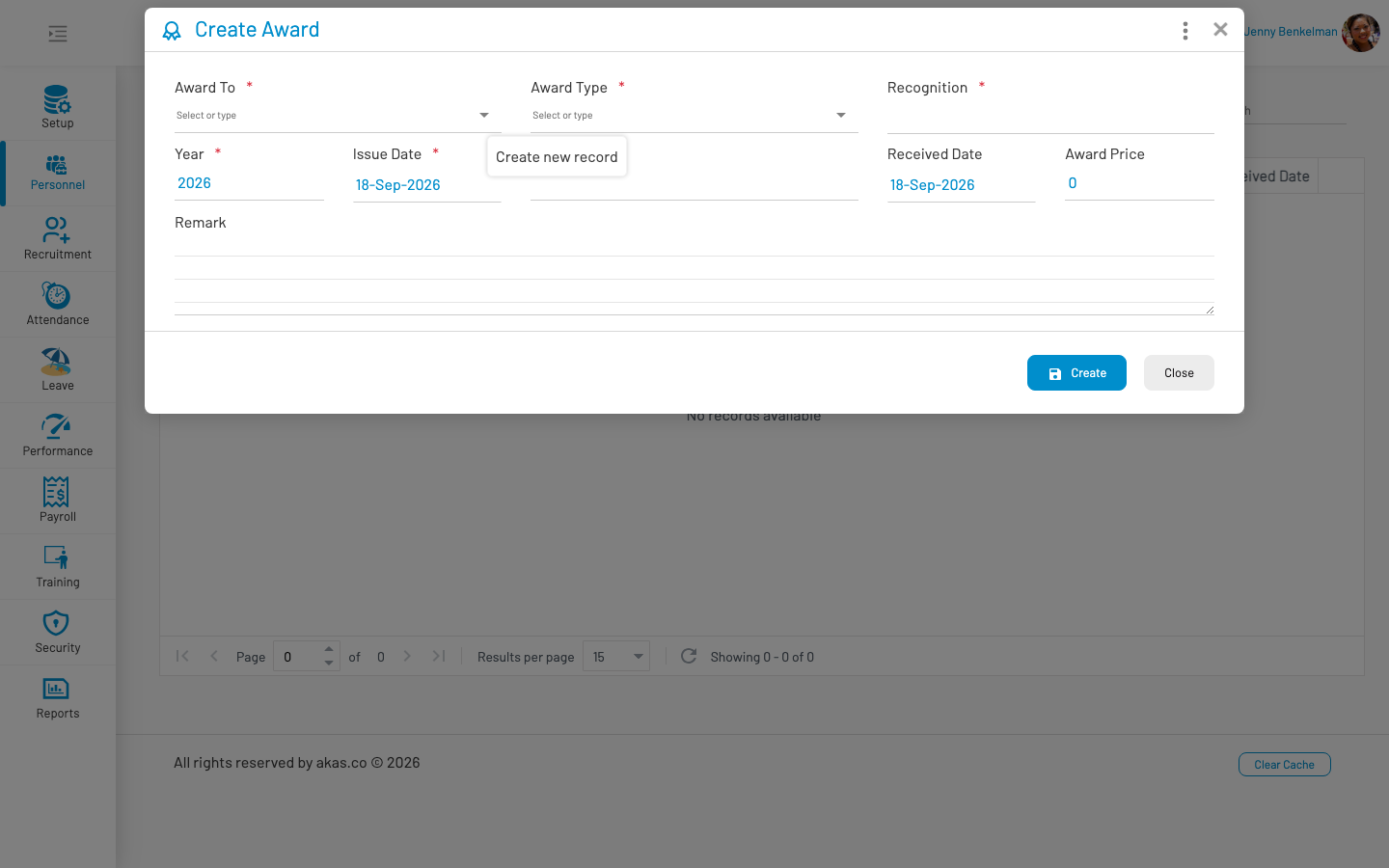
To record a new award, click Create, fill in the form, and click Save.
List columns
Section titled “ List columns”| Column | Description |
|---|---|
| Employee | Employee receiving the award. |
| Award Type | Type of award (LOV 46). |
| Recognition | Title or description of the recognition. |
| Award Year | Year the award was given. |
| Issue Date | Date the award was issued. |
| Issued By | Person or organization issuing the award. |
| Received Date | Date the employee received the award. |
| Award Price | Monetary value of the award, if applicable. |
| Remark | Additional notes. |
Form fields
Section titled “ Form fields”| Field Name | Type of Data | Description |
|---|---|---|
| Award To | Lookup | Employee receiving the award. Required. |
| Award Type | LOV (46) | Category of award. Required. |
| Recognition | Text | Title or description of the recognition. Required. |
| Year | Number | Year the award was given. Default: current year. |
| Issue Date | Date | Date the award was issued. Default: today. |
| Issued By | Text | Person or organization issuing the award. |
| Received Date | Date | Date the employee received the award. Default: today. |
| Award Price | Number | Monetary value of the award. Default: 0. |
| Remark | Textarea | Optional additional notes. |
Actions: Copy As — Duplicate an existing record as a starting point for a new entry.