
Training Records
Training records are scheduled training sessions linked to a course, with participants and optional institution details.
Self Service: Employees can raise a Training Request from Dashboard → Self Service → Training Request (/self-service/training-request). After submit/approval, the request appears in this list for HR to manage.
Navigation: left sidebar → HR → Training → Training Records (/training/records).
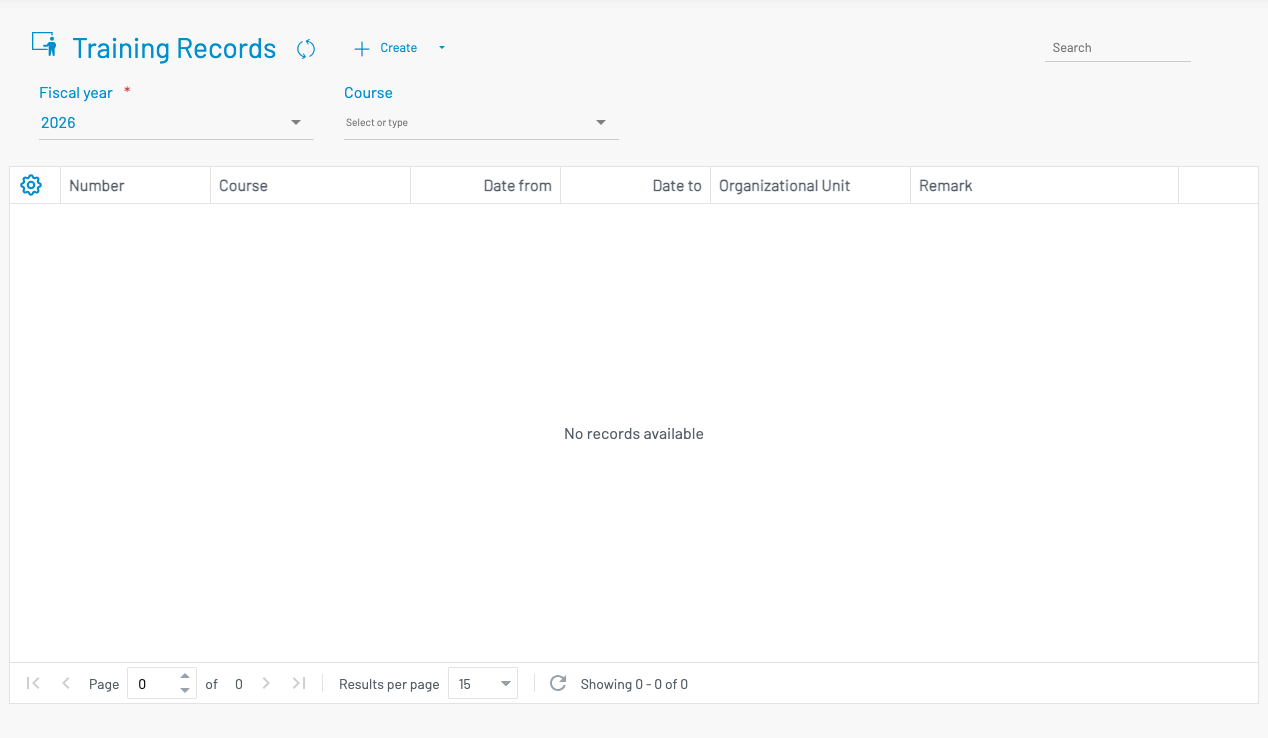
Filter by Fiscal year and Course.
List columns
Section titled “ List columns”| Column | Description |
|---|---|
| Number | Training number with approval / status badges. |
| Course | Selected course from the catalog. |
| Date from / Date to | Session dates. |
| Org Unit | Organising / related organisational unit. |
Create a training record
Section titled “ Create a training record”Click + Create.
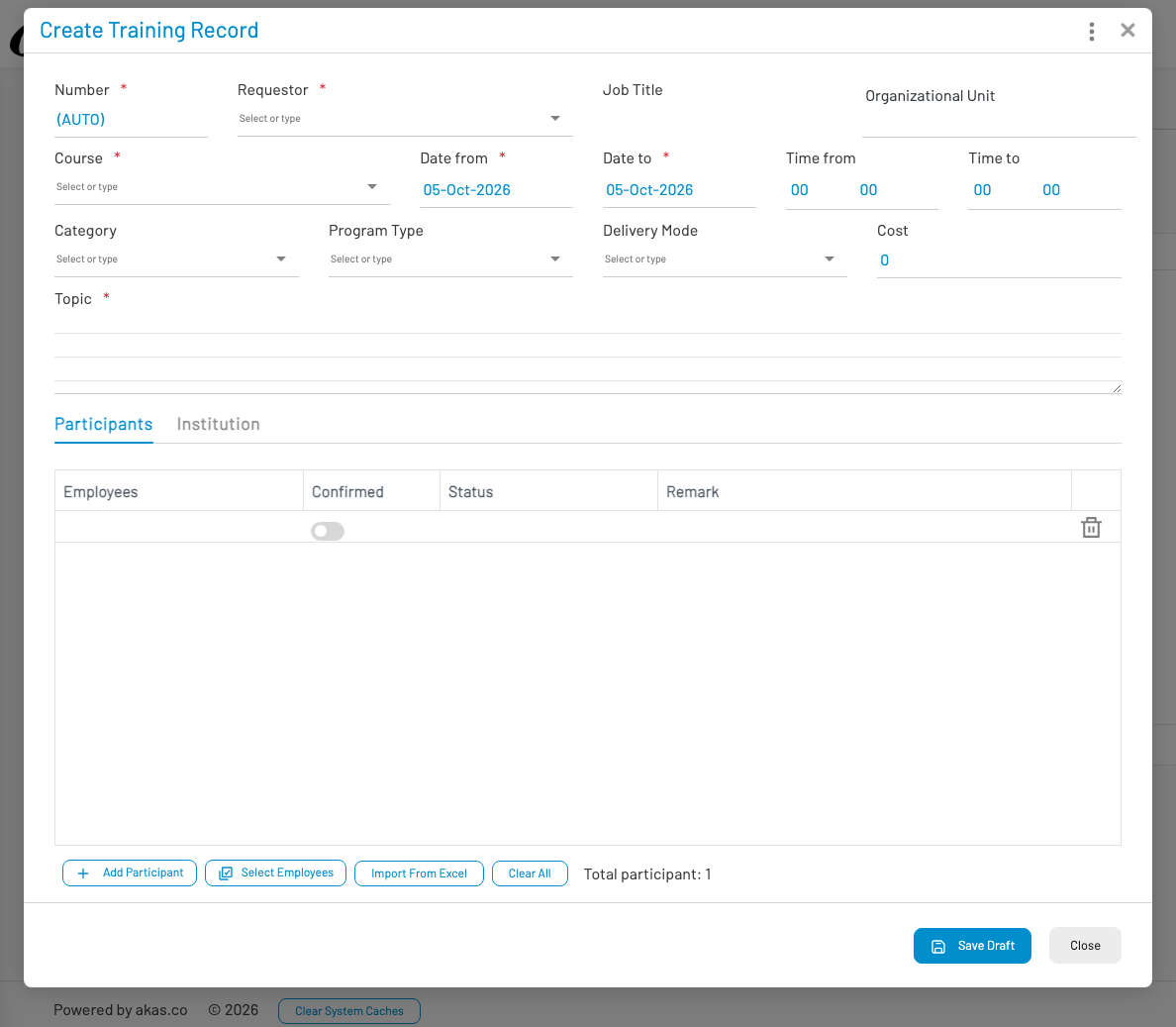
- Number is AUTO. Select Requestor and Course (required).
- Set Date from / Date to, optional times, category, program type, delivery mode, and cost.
- Enter Topic (required).
- On Participants, add employees (Add Participant, Select Employees, or Import From Excel) and mark confirmed as needed.
- Use the Institution tab for provider details.
- Click Save Draft, then submit / approve through your workflow.