
Item Sales History
Item Sales History shows sales of one item across invoices and direct receipts. Open it from the Items list (sales history icon on a row).
Path: /revenue/item-sales-history/{itemId}/detail (or .../bycustomer).
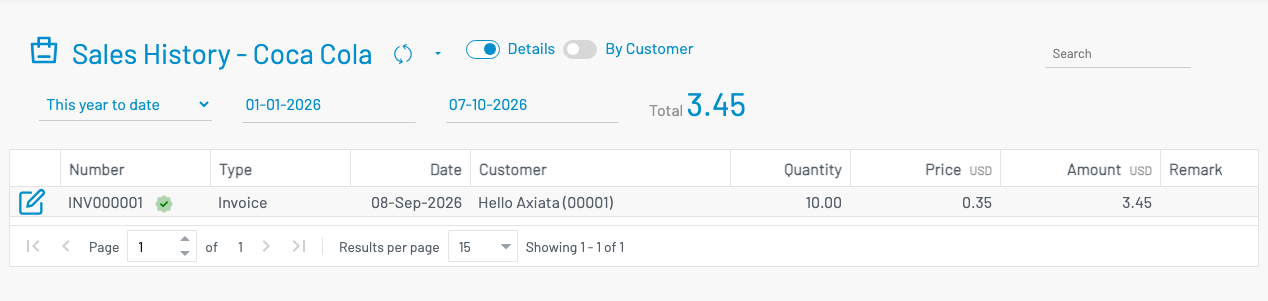
Use the view control at the top:
| View | What you see |
|---|---|
| Details | One row per sale line — document number, type, date, customer, quantity, price, amount |
| By customer | Totals per customer — quantity, line count, and amount for the date range |
The filter bar totals the visible amount for the selected date range (default: this year). Export is available from the table toolbar.
Open related records
Section titled “ Open related records”- In Details, click a document Number to open the invoice or direct receipt.
- In By customer, use the sales history icon next to a customer to open that customer’s Customer Sales History.
Permissions
Section titled “ Permissions”Requires invoice list permission (invoice.list).