
Employee Accident
Employee Accidents records workplace accidents and injuries — including case details, hospital treatment, leave linkage, and insurance claims.
Accidents can be managed through the left sidebar → HR → Personnel → Accidents (/personnel/accidents).
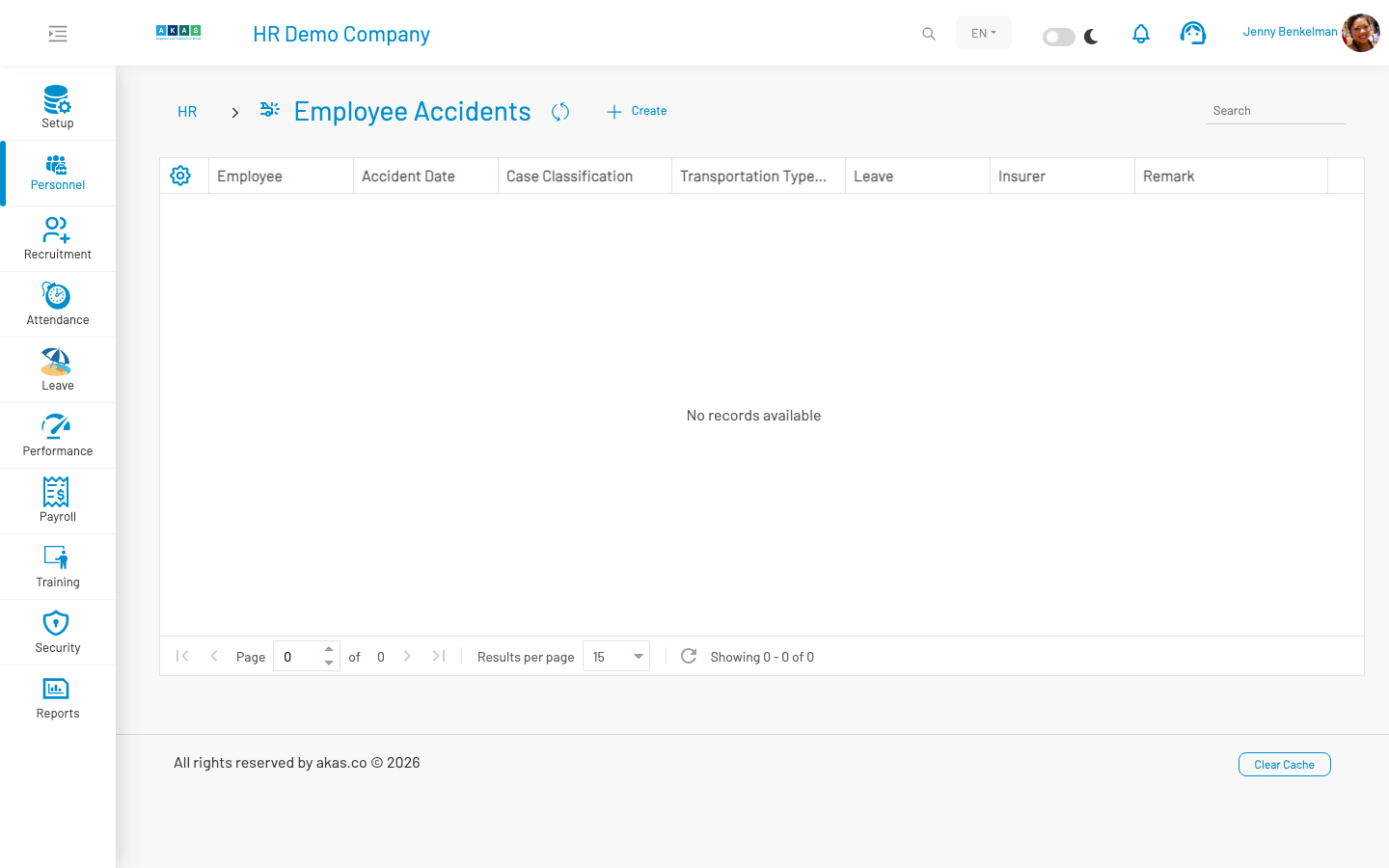
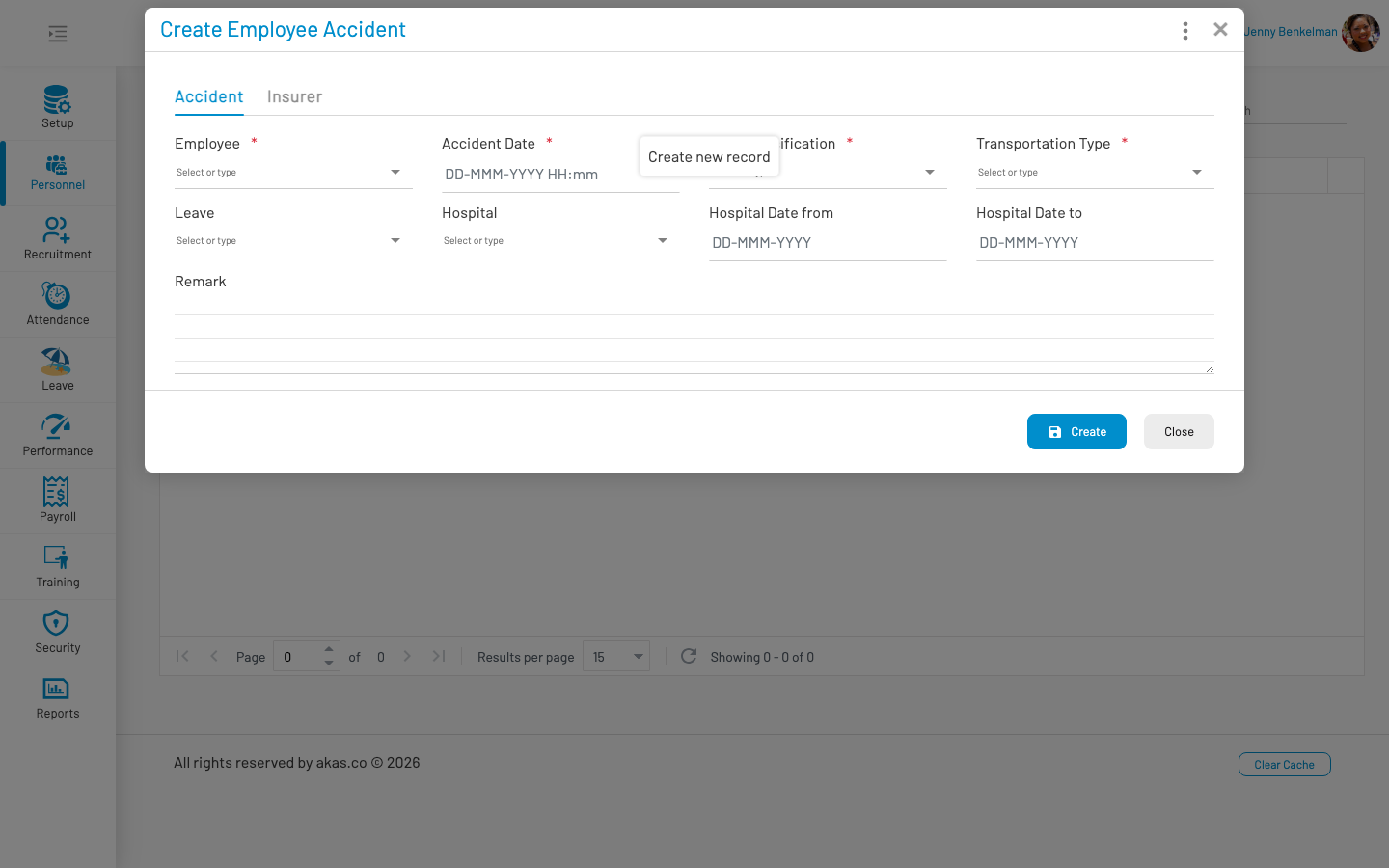
To record a new accident, click Create, fill in the form, and click Save.
List columns
Section titled “ List columns”| Column | Description |
|---|---|
| Employee | Employee involved in the accident. |
| Accident Date | Date and time of the accident. |
| Case Classification | Classification of the case (LOV 32). |
| Transportation Type | How the employee was transported (LOV 35). |
| Leave | Linked leave record, if applicable. |
| Insurer | Insurance company (LOV 33). |
| Remark | Additional notes. |
Form fields
Section titled “ Form fields”
Accident tab
Section titled “ Accident tab”| Field Name | Type of Data | Description |
|---|---|---|
| Employee | Lookup | Employee involved. Required. |
| Accident Date | Date/time | Date and time of the accident. Required. |
| Case Classification | LOV (32) | Classification of the accident case. Required. |
| Transportation Type | LOV (35) | How the employee was transported. Required. |
| Leave | Lookup | Related leave record, if the employee took leave due to the accident. |
| Hospital | LOV (34) | Hospital where treatment was received. |
| Hospital Date From | Date | Start date of hospitalization. |
| Hospital Date To | Date | End date of hospitalization. |
| Remark | Textarea | Additional notes about the accident. |
Insurer tab
Section titled “ Insurer tab”| Field Name | Type of Data | Description |
|---|---|---|
| Insurer | LOV (33) | Insurance company handling the claim. |
| Notified to Insurer? | Boolean | Whether the insurer has been notified. |
| Insurer Claim Handler | Text | Name of the insurance claim handler. |
| Claim No | Text | Insurance claim reference number. |
| Treatment Fee | Number | Cost of medical treatment. Default: 0. |
| Approval Fee | Number | Approved insurance payout amount. Default: 0. |
Actions: Copy As — Duplicate an existing record as a starting point for a new entry.