
Pay Policies
Pay policies control how payroll calculates pay for a group of employees (work days, residency, linked salary tax, late/absent rules, maternity options, and related settings).
Navigation: left sidebar → HR → Payroll → Data Setup → Pay Policies (/payroll/pay-policies).
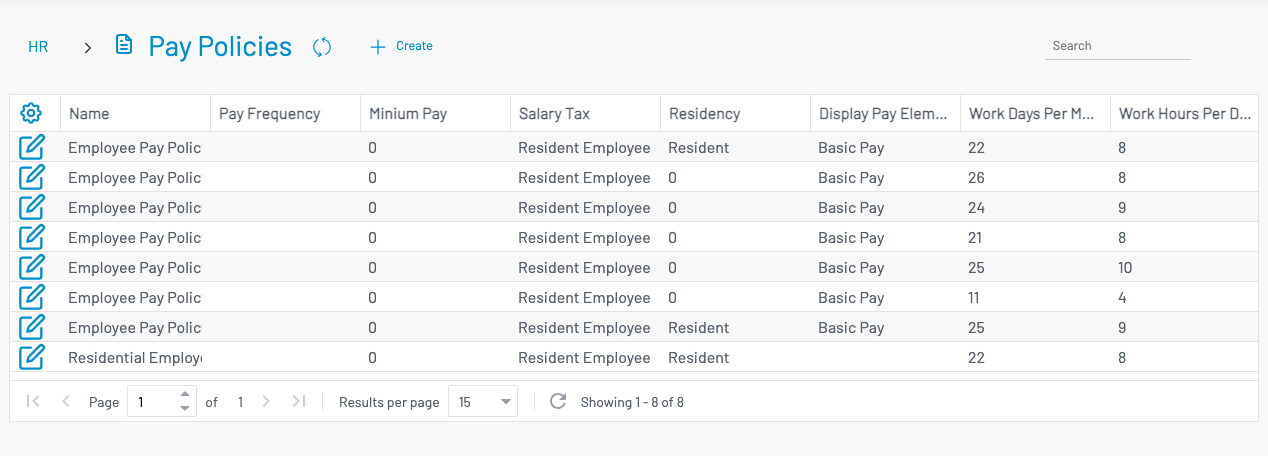
Create a pay policy
Section titled “ Create a pay policy”Click + Create.
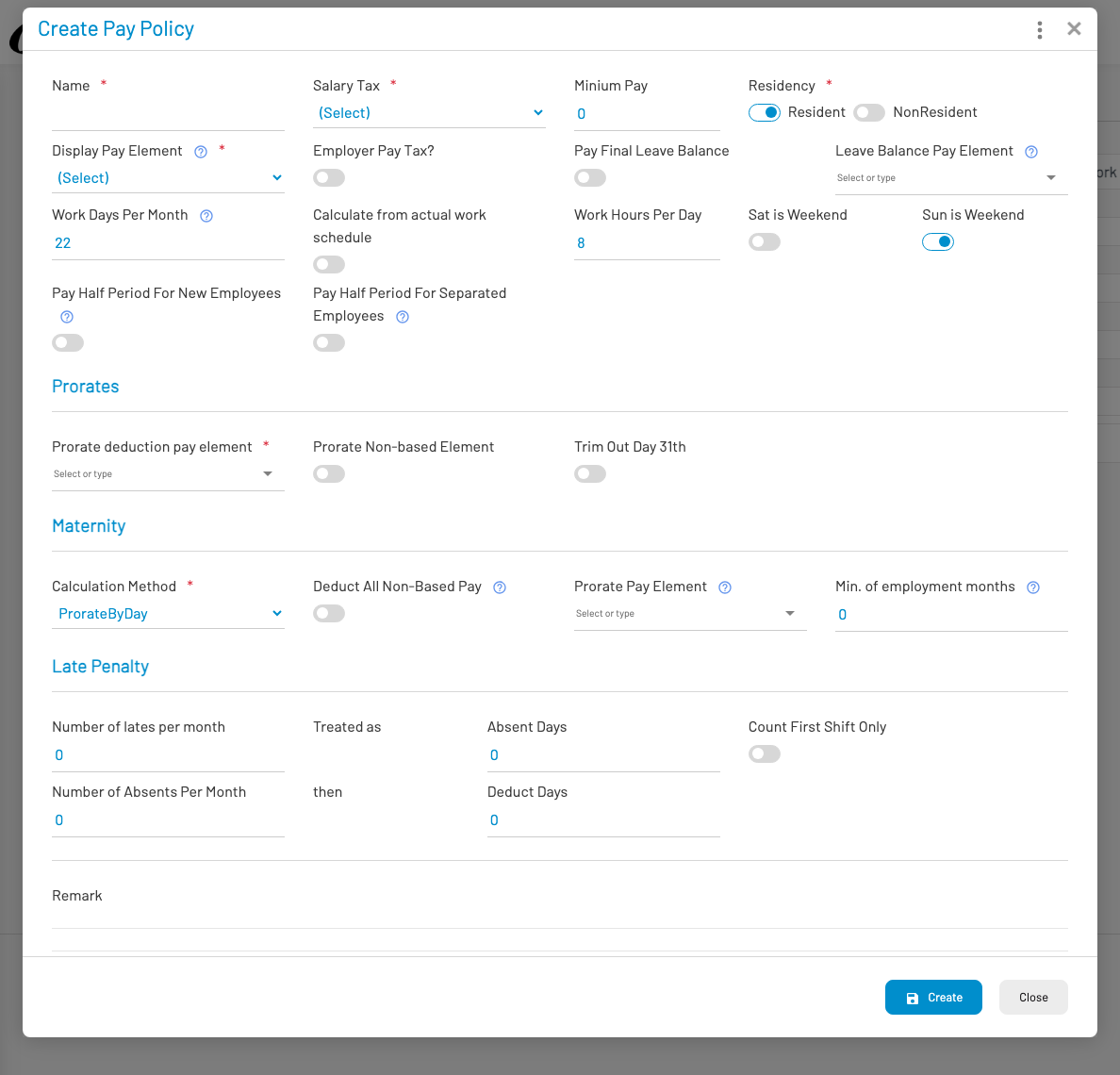
Key fields typically include:
- Name, Salary tax, Minimum pay, Residency flag
- Work days / hours per day, weekend flags
- Late and absent conversion rules
- Maternity and other leave-pay options
Save the policy, then assign it on the employee’s employment / payroll setup in Personnel.