
Vendor Deposits
Vendor Deposits record advance payments to vendors. Remaining deposit balances can later be applied to bills or refunded.
Navigation: left sidebar → Expenses → Vendor Deposits (/expense/vendor-deposits).
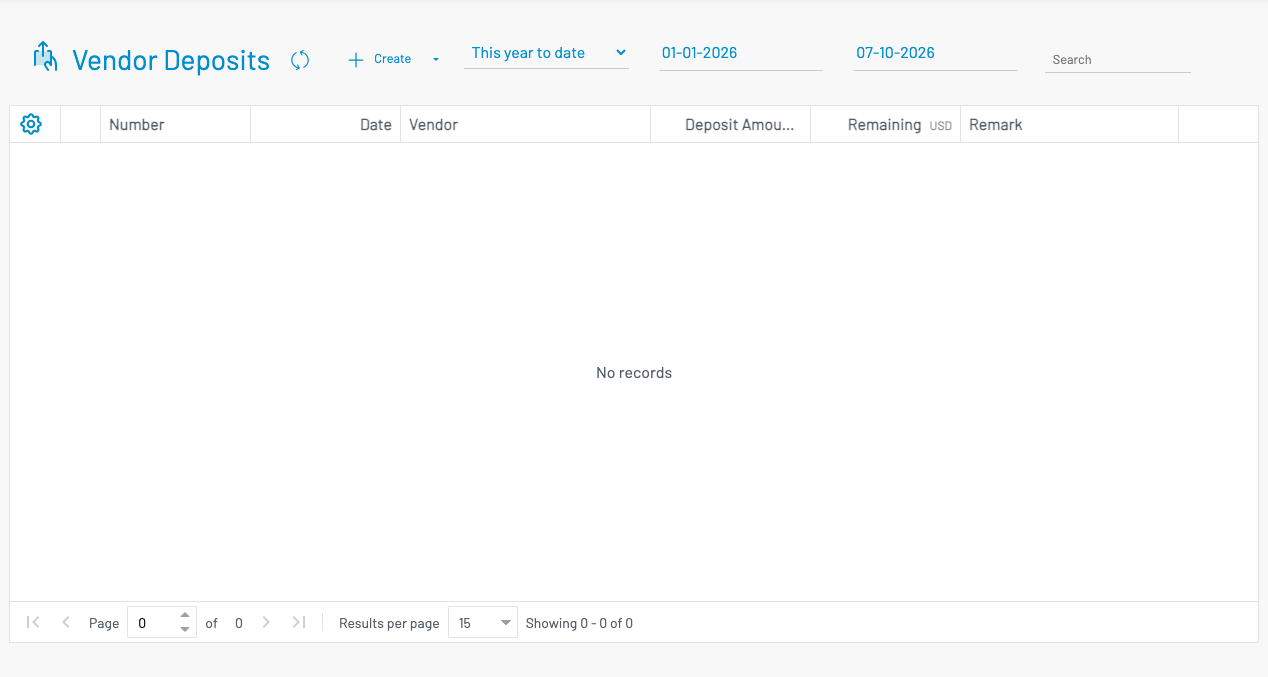
List columns
Section titled “ List columns”| Column | Description |
|---|---|
| Number | Deposit document number. |
| Date | Deposit date. |
| Vendor | Vendor who received the deposit. |
| Grand Total | Original deposit amount. |
| Remaining | Unapplied balance available for bills or refund. |
| Remark | Notes. |
Create a deposit
Section titled “ Create a deposit”Click + Create.
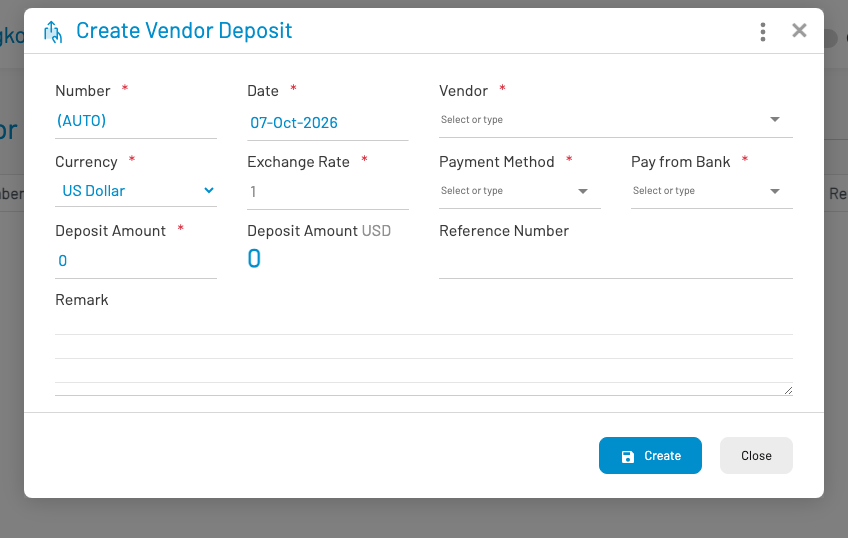
- Select the Vendor, set the deposit date, and enter payment / bank details.
- Enter the deposit amount (and lines if your form layout includes them).
- Save and Approve.
After approval, use Vendor Deposit Applications to apply remaining balance to bills (or Apply Deposit on an approved bill), or Vendor Deposit Refunds to return unused funds.