
Withdrawals
Withdrawals remove stock from a location (for example internal use or samples).
Self Service: Employees can submit an Inventory Withdrawal Request from Dashboard → Self Service → Inventory Withdrawal Request (/self-service/inventory-withdrawal-request). After submit/approval, withdrawals appear in this list for inventory staff to process.
Navigation: left sidebar → Inventory → Withdrawals (/inventory/withdrawals).
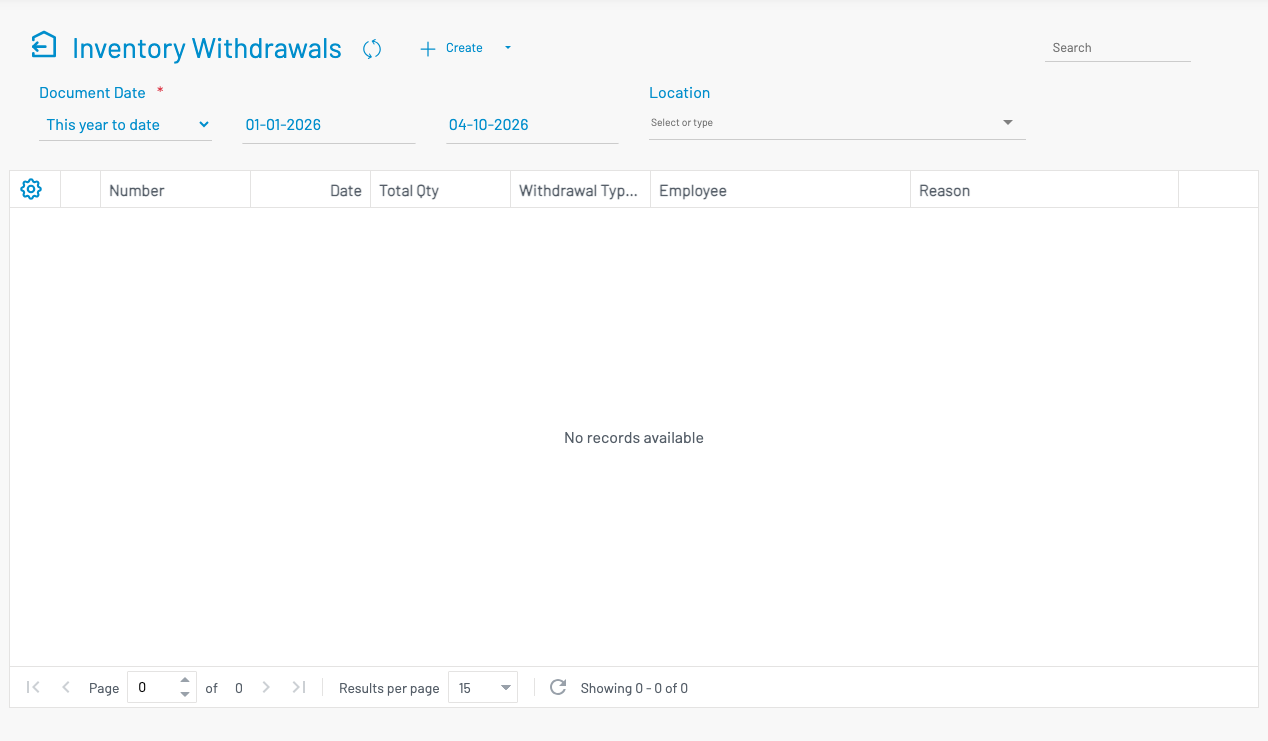
Create a withdrawal
Section titled “ Create a withdrawal”Click + Create.
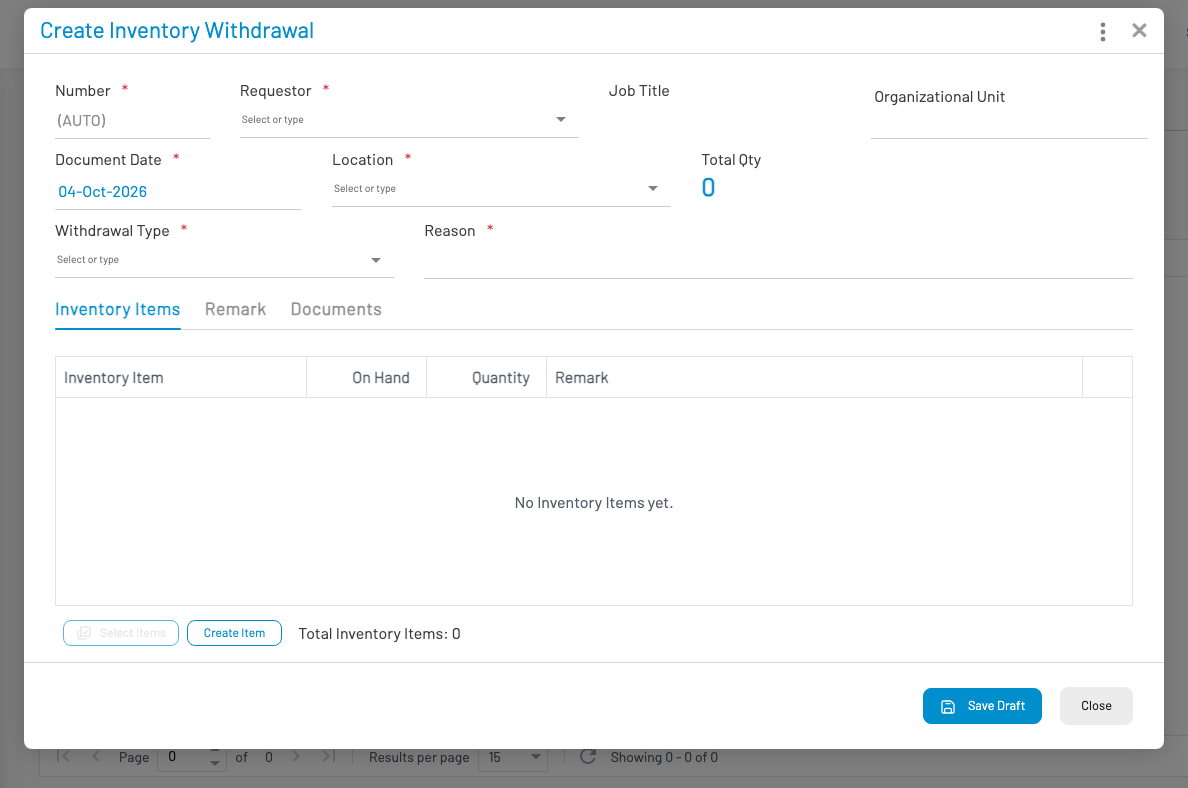
- Select Location.
- Add line items — product and quantity.
- Save and Approve.