
Coupons
Coupons define discount codes with rules such as value, minimum purchase, date range, and usage limits.
Navigation: left sidebar → Revenues → Data Setup → Coupons (/revenue/coupons).
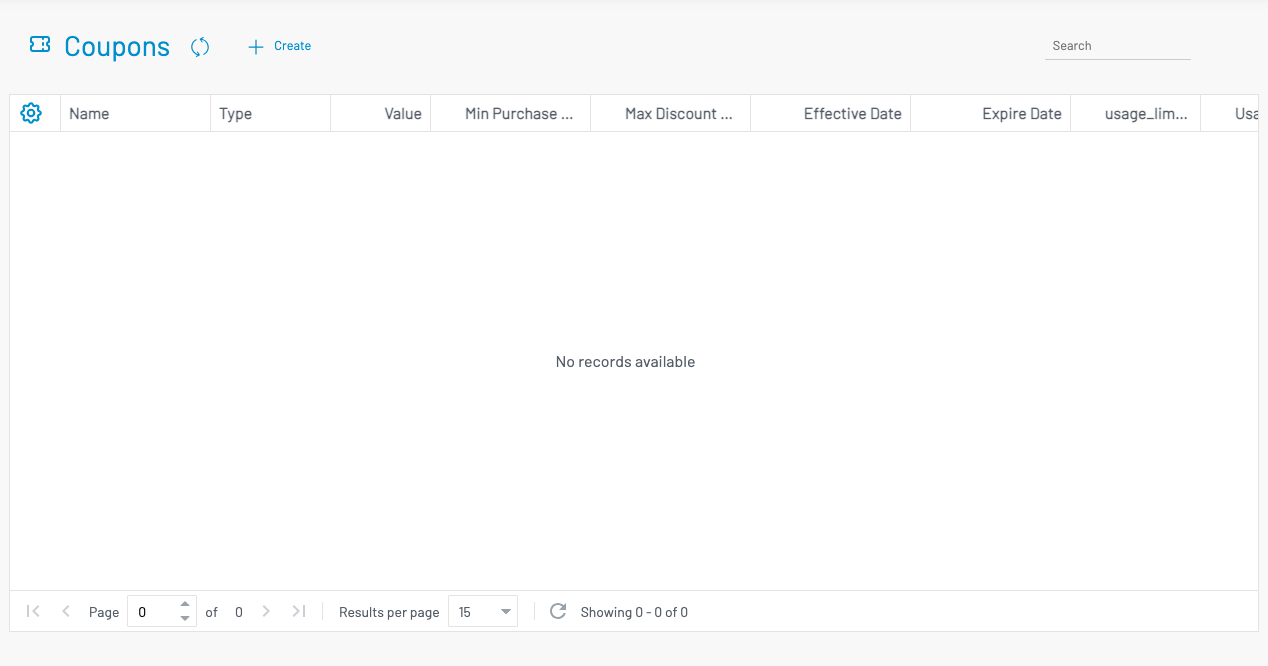
List columns
Section titled “ List columns”| Column | Description |
|---|---|
| Name | Coupon code / name. |
| Type | Discount type (for example percentage or fixed amount). |
| Value | Discount value. |
| Min Purchase Amount | Minimum order amount required to apply the coupon. |
| Max Discount Amount | Cap on the discount amount. |
| Effective / Expire Date | Validity window. |
| Usage Limit | Total uses allowed (and per-user limit when configured). |
| Disabled | When checked, the coupon cannot be used. |
Create a coupon
Section titled “ Create a coupon”Click + Create.
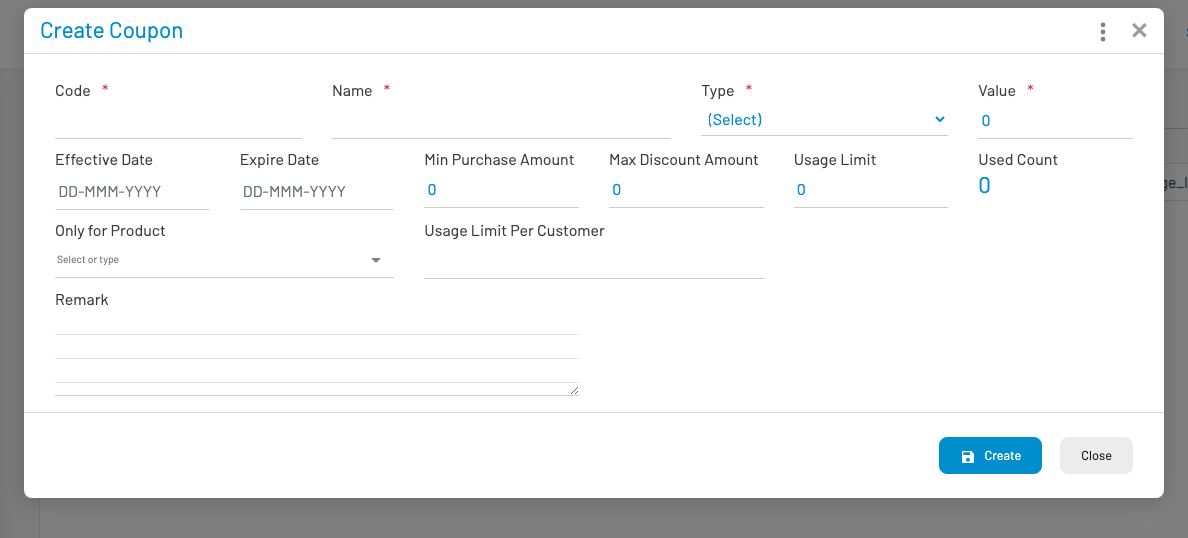
Set name, type, value, date range, and usage limits, then Create. On an invoice or sales order, enter the coupon code in the Coupon Code field when applying a discount.