
OT Pay Requests
OT pay requests record overtime hours for payment. HR can enter requests here.
Self Service: Employees submit OT Payment Request from Dashboard → Self Service → OT Payment Request (/self-service/ot-pay-request). After submit/approval, requests appear in this list for payroll processing.
Navigation: left sidebar → HR → Payroll → OT Pay Requests (/payroll/ot-pay-requests).
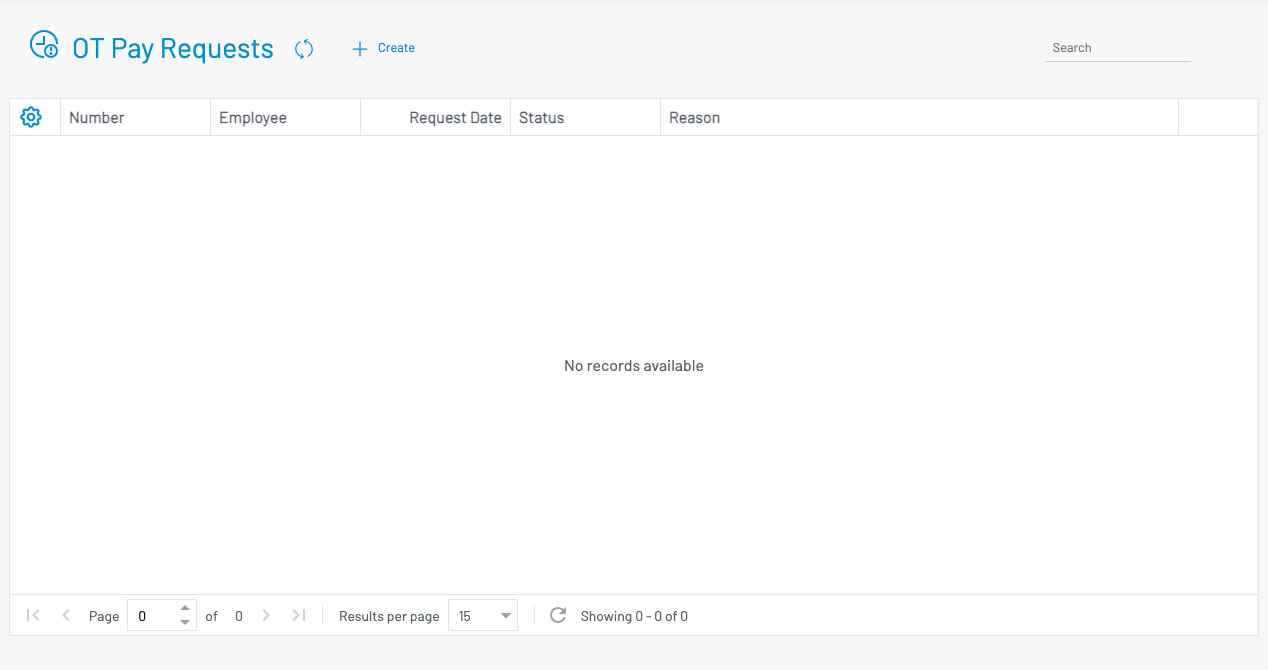
Create an OT pay request
Section titled “ Create an OT pay request”Click + Create.
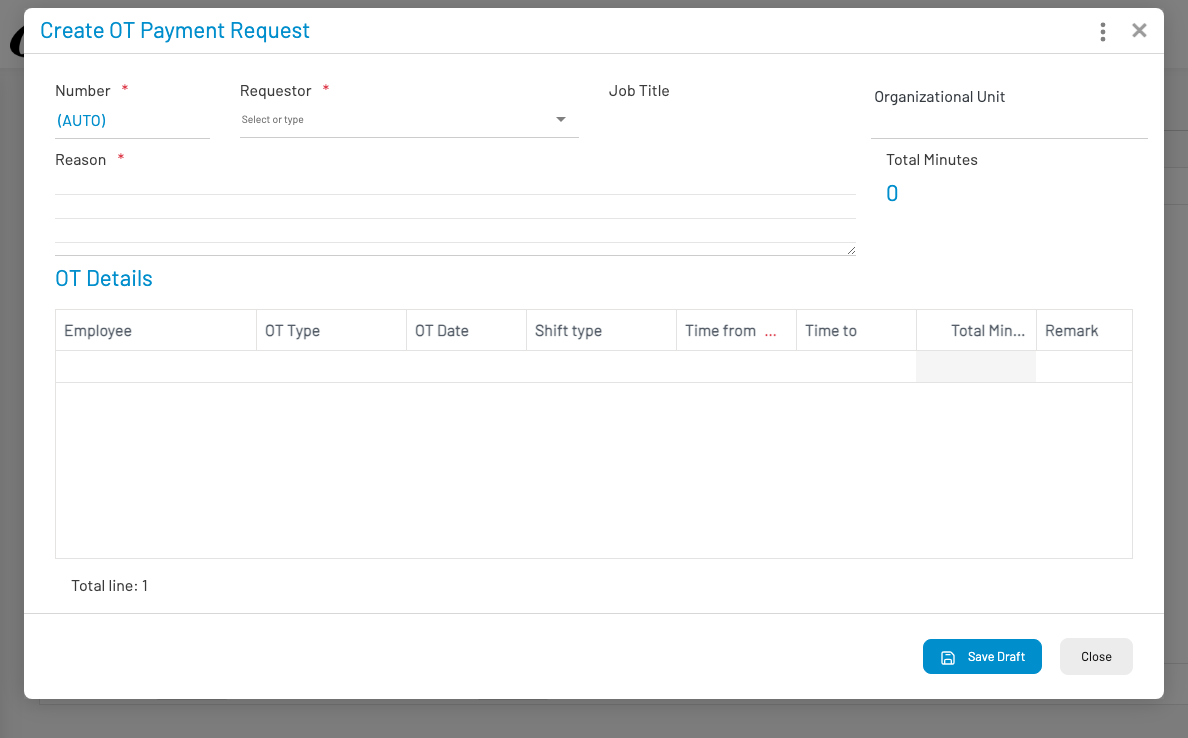
- Number is AUTO. Select Requestor (required).
- Enter Reason (required). Total minutes updates from the OT detail lines.
- In OT Details, add lines: employee, OT type, OT date, shift type, time from/to, remark.
- Click Save Draft, then submit / approve through your approval workflow.
Approved OT feeds into payroll register calculation according to OT types and OT policies.