
Store Payment Methods
The Payment Methods tab allows you to configure how customers pay for their orders on the checkout page of your online store. You can enable offline and online payment options, including ABA Bank online payments.
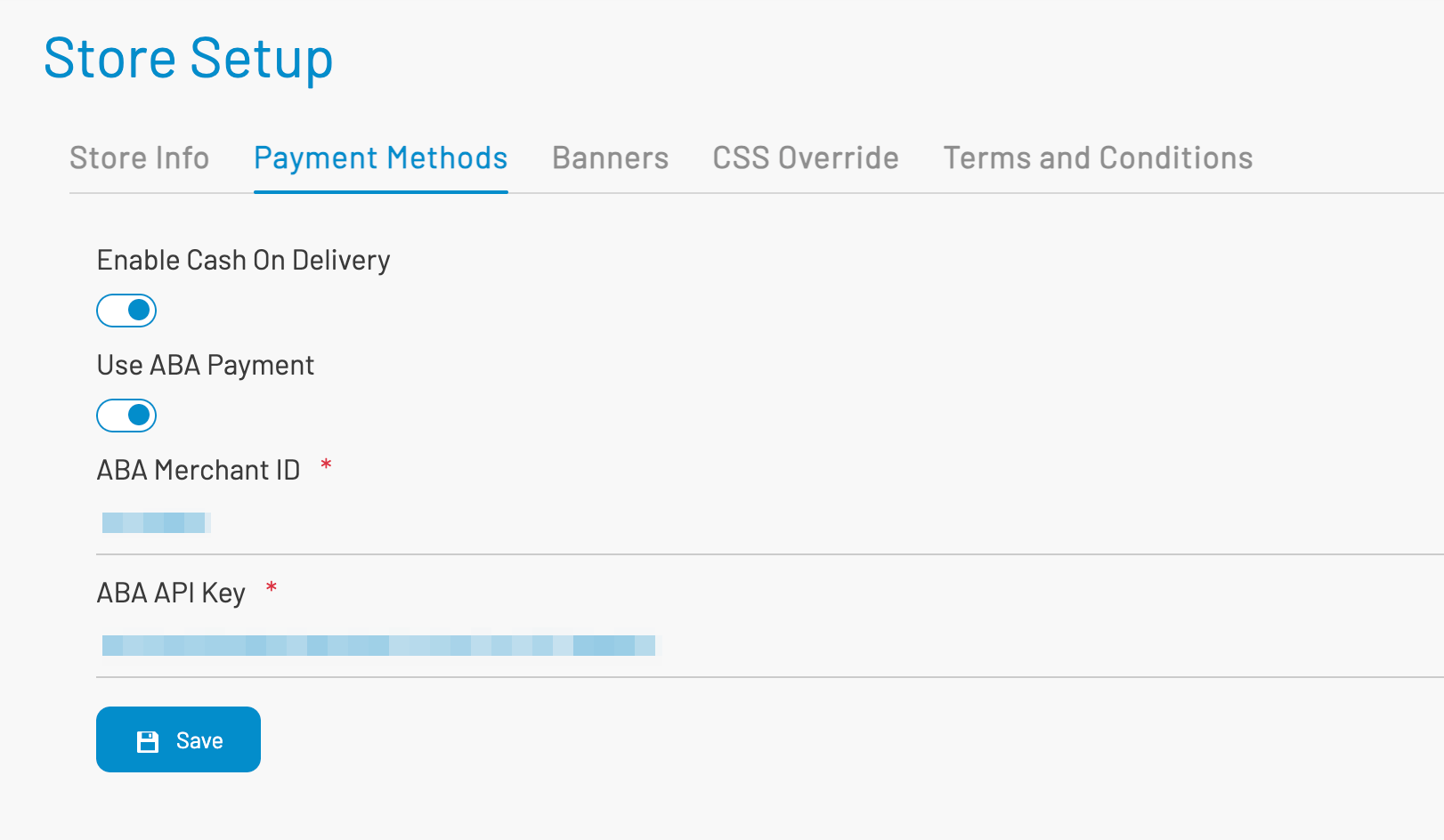
Enable Cash on Delivery
Section titled “ Enable Cash on Delivery”A toggle switch to allow customers to pay when the order is delivered.
- ON → Customers can choose Cash on Delivery (COD) at checkout.
- OFF → COD payment option is hidden.
Use this option if your business supports physical delivery and accepts cash transactions.
Use ABA Payment
Section titled “ Use ABA Payment”A toggle switch to enable online payment using ABA PayWay, one of Cambodia’s most widely used digital payment gateways.
- ON → ABA online payment button appears at checkout.
- OFF → Customers cannot pay using ABA.
Note: ABA Merchant ID and API Key must be filled in to activate this feature.
ABA Merchant ID (required when ABA Payment is ON): The unique merchant number provided by ABA Bank. It identifies your business in ABA PayWay’s payment system. Obtain this ID from the ABA Merchant Portal or your ABA business account manager.
ABA API Key (required when ABA Payment is ON): Your secret API key from ABA PayWay. It is used to securely connect your store to ABA’s payment gateway. Keep this key private and never share it publicly.
Click Save to apply changes.
Notes: More payment methods can be added in the future. You can also contact AKAS to request additional gateways.
Next: Store banners