
Job Applications
Job applications lists candidates who applied (or were added) to a specific approved job requisition.
Navigation: Job Requisitions → Manage on an approved row (/recruitment/job-reqs/{id}/applications).
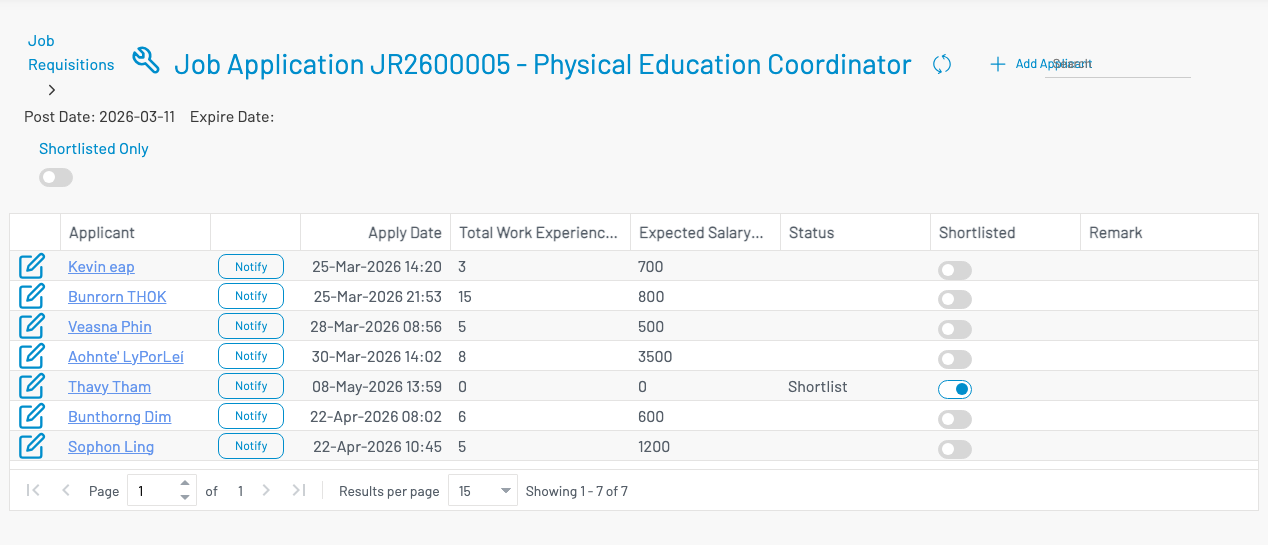
The page title shows the requisition number and job title, plus post / expire dates. Use Shortlisted Only to filter the list.
List columns
Section titled “ List columns”| Column | Description |
|---|---|
| Applicant | Applicant name (opens the applicant profile). |
| Notify | Send a notify action to this applicant. |
| Apply Date | When the application was recorded. |
| Total Work Experience | Years of experience. |
| Expected Salary | Salary expectation. |
| Status | Application status (e.g. Shortlist). |
| Shortlisted | Toggle to mark the candidate shortlisted. |
| Remark | Notes. |
Add an applicant
Section titled “ Add an applicant”Click + Add Applicant.
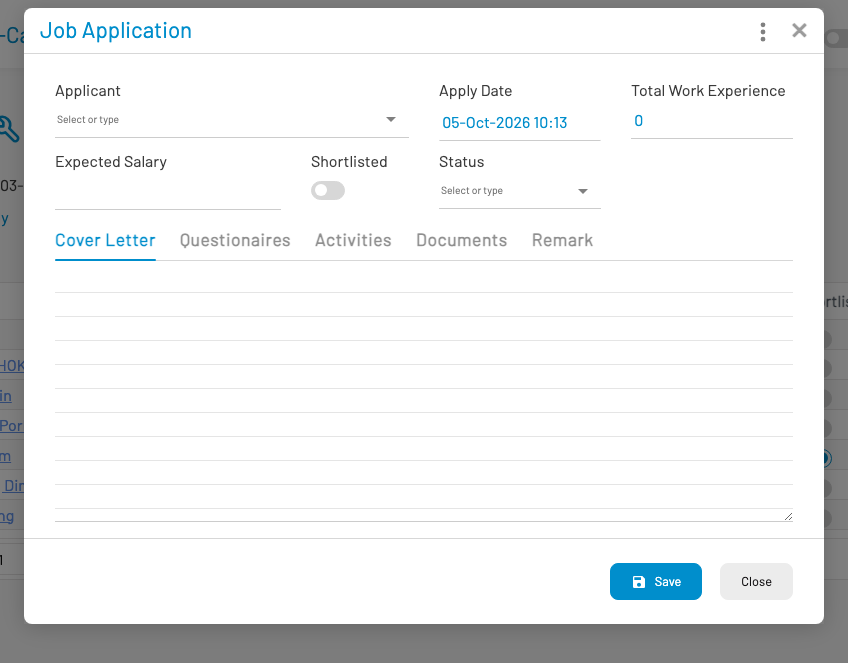
- Select or create an Applicant.
- Set Apply Date, work experience, expected salary, shortlisted flag, and Status.
- Use tabs for Cover Letter, Questionnaires, Activities, Documents, and Remark.
- Click Save.
Notify an applicant
Section titled “ Notify an applicant”Click Notify on a row, choose a notify action (workflow), and send. Configure actions under Notify actions.